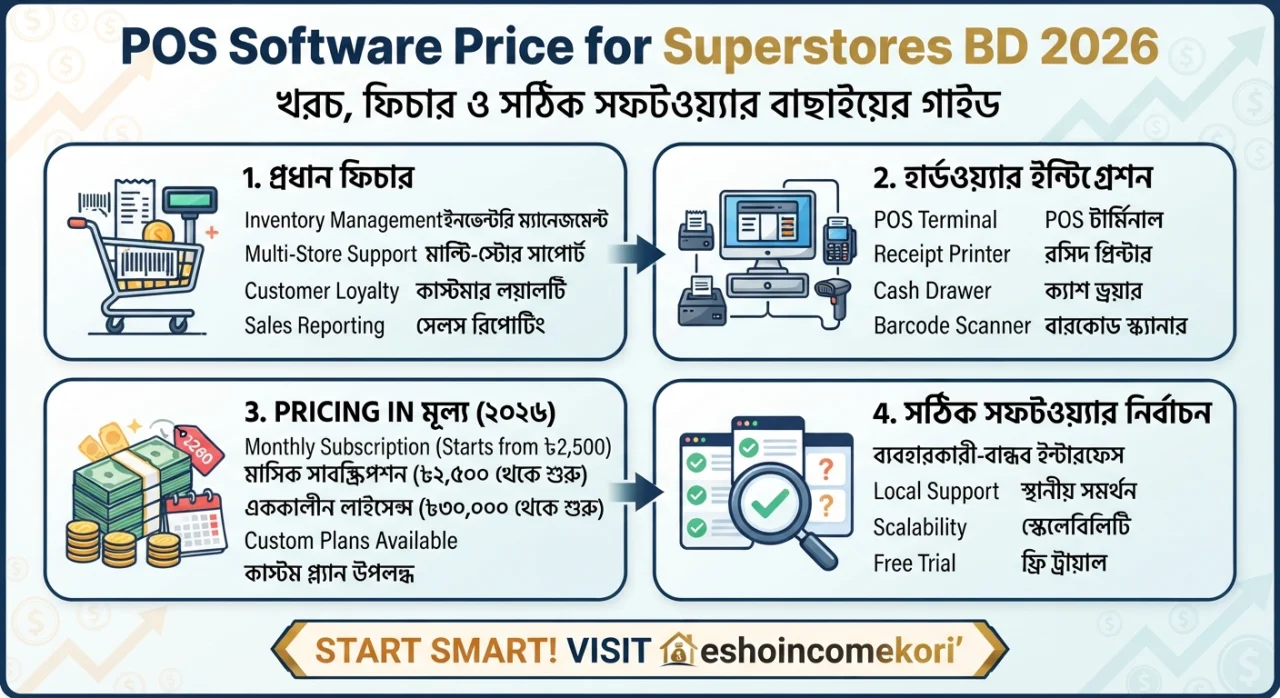
POS Software Price for Superstores BD 2026: খরচ, ফিচার ও সঠিক সফটওয়্যার বাছাইয়ের গাইড
POS Software Price for Superstores BD 2026 – Super Shop POS System Cost & Features POS Software Price for Superstores BD 2026 জানুন। Super shop POS system-এর দাম, inventory, barcode, sales, accounting, VAT ও প্রয়োজনীয় ফিচার সম্পর্কে বিস্তারিত গাইড।
Introduction
একটি superstore পরিচালনা করতে শুধু পণ্য বিক্রি করলেই হয় না। প্রতিদিন হাজার হাজার product, barcode, purchase, sales, stock, customer information, supplier এবং employee transaction পরিচালনা করতে হয়।
এই কাজগুলো manual spreadsheet বা খাতায় পরিচালনা করা কঠিন এবং ভুলের সম্ভাবনাও বেশি। তাই modern superstore-এর জন্য POS software অত্যন্ত গুরুত্বপূর্ণ।
বাংলাদেশে একটি POS software-এর price একেক business-এর জন্য একেক রকম হতে পারে। কারণ ছোট grocery shop-এর প্রয়োজন এবং বড় superstore chain-এর প্রয়োজন একই নয়।
একটি basic POS system কম খরচে পাওয়া গেলেও advanced inventory management, multiple branch, accounting integration, barcode management, employee control, customer loyalty এবং detailed reporting যুক্ত হলে total cost বাড়তে পারে।
এই article-এ POS Software Price for Superstores BD সম্পর্কে সম্ভাব্য cost, features, hardware, installation, monthly subscription এবং superstore-এর জন্য POS system নির্বাচন করার গুরুত্বপূর্ণ বিষয়গুলো বিস্তারিত আলোচনা করা হলো।
Quick Summary Table
| বিষয় | সম্ভাব্য তথ্য |
|---|---|
| Basic POS | Low-cost বা subscription-based |
| Advanced POS | Higher monthly/annual cost |
| Enterprise POS | Custom quotation |
| Barcode Support | প্রয়োজনীয় |
| Inventory | Essential |
| Multi-Branch | Advanced feature |
| Accounting | Integration বা built-in |
| VAT Support | Business requirement অনুযায়ী |
| Cloud POS | Remote access সুবিধা |
| Hardware | আলাদা budget প্রয়োজন হতে পারে |
| Maintenance | Provider অনুযায়ী |
| Customization | Extra cost হতে পারে |
নোট: বাংলাদেশের POS software-এর actual price provider, user সংখ্যা, branch সংখ্যা, features এবং hardware-এর ওপর নির্ভর করে। তাই নির্দিষ্ট vendor-এর current quotation যাচাই করা উচিত।
POS Software কী?
POS-এর পূর্ণরূপ হলো Point of Sale।
যেখানে customer payment করেন এবং sale transaction complete হয়, সেই system-কে POS system বলা হয়।
Modern POS software শুধু billing-এর জন্য নয়। এটি manage করতে পারে:
- Sales
- Inventory
- Purchase
- Product
- Barcode
- Customer
- Supplier
- Employee
- Reports
- Accounting
- Branches
Superstore-এর জন্য POS কেন গুরুত্বপূর্ণ?
একটি superstore-এ একই সঙ্গে শত বা হাজার product manage করতে হয়।
POS software সাহায্য করতে পারে:
- দ্রুত billing
- automatic stock update
- barcode scanning
- sales tracking
- purchase management
- low-stock alerts
- daily reporting
- employee monitoring
ফলে operational efficiency বাড়তে পারে।
POS Software Price in Bangladesh
বাংলাদেশে POS software pricing সাধারণত কয়েকটি model-এ পাওয়া যায়।
One-Time License
একবার software license কিনে ব্যবহার করা হয়।
এর সঙ্গে installation এবং maintenance cost থাকতে পারে।
Monthly Subscription
প্রতি মাসে নির্দিষ্ট fee দিতে হয়।
এটি cloud-based POS-এর ক্ষেত্রে common।
Annual Subscription
এক বছরের জন্য subscription নেওয়া হয়।
অনেক provider annual package-এ discount দিতে পারে।
Custom Enterprise Pricing
বড় superstore chain-এর জন্য custom quotation দেওয়া হতে পারে।
Basic POS Software
Basic POS-এর মধ্যে সাধারণত থাকতে পারে:
- Billing
- Product management
- Barcode
- Basic inventory
- Sales report
- Customer record
ছোট বা single-store business-এর জন্য এগুলো যথেষ্ট হতে পারে।
Advanced POS Software
Advanced POS-এ থাকতে পারে:
- Multi-branch
- Advanced inventory
- Purchase management
- Supplier management
- Customer loyalty
- Employee management
- Detailed analytics
- Accounting integration
- Online order integration
Superstore-এর জন্য advanced POS বেশি useful হতে পারে।
Enterprise POS
বড় retail chain-এর জন্য enterprise POS system প্রয়োজন হতে পারে।
এতে থাকতে পারে:
- Centralized database
- Multiple branches
- Head office control
- Real-time reporting
- Role-based permissions
- Advanced security
- ERP integration
- Custom workflows
এই ধরনের system-এর cost সাধারণত customized হয়।
POS Software Cost Structure
একটি POS project-এর total cost শুধু software license নয়।
বিবেচনা করুন:
Software
Hardware
Installation
Training
Maintenance
Customization
Support
এই সবগুলো মিলিয়ে total investment তৈরি হয়।
POS Hardware Cost
Superstore POS system-এর জন্য hardware প্রয়োজন হতে পারে।
POS Computer
Billing counter-এ computer বা POS terminal ব্যবহার করা হয়।
Barcode Scanner
Product দ্রুত scan করার জন্য।
Receipt Printer
Customer receipt print করার জন্য।
Cash Drawer
Cash management-এর জন্য।
Customer Display
Customer-facing display ব্যবহার করা যেতে পারে।
Barcode Printer
নিজস্ব barcode label print করার প্রয়োজন হলে।
Weighing Scale
Grocery বা fresh product-এর জন্য integrated weighing scale useful হতে পারে।
Barcode Management
Superstore-এর জন্য barcode support অত্যন্ত গুরুত্বপূর্ণ।
Barcode system দিয়ে:
- Product identify
- Price retrieve
- Stock update
- Sales record
দ্রুত করা যায়।
Barcode scanning manual product entry-এর তুলনায় checkout speed বাড়াতে পারে।
Inventory Management
Superstore POS-এর সবচেয়ে গুরুত্বপূর্ণ feature-এর একটি হলো inventory management।
System-এর মাধ্যমে জানা যায়:
- Current stock
- Sold quantity
- Purchased quantity
- Damaged product
- Returned product
- Low-stock product
এতে inventory control সহজ হয়।
Stock Alert
যে product-এর stock নির্দিষ্ট level-এর নিচে চলে যায়, system alert দিতে পারে।
উদাহরণ:
Milk → Low Stock
Rice → Reorder Required
এই feature stock-out কমাতে সাহায্য করতে পারে।
Purchase Management
Superstore-এর inventory শুধু sales দিয়ে manage করা যায় না।
Supplier থেকে product কেনার সময় system-এ record করতে হবে:
- Supplier
- Purchase quantity
- Purchase price
- Date
- Invoice
- Product batch
এতে inventory automatically update করা সম্ভব।
Supplier Management
একটি superstore-এ অনেক supplier থাকতে পারে।
POS software-এ supplier database থাকলে:
- Supplier contact
- Purchase history
- Outstanding amount
- Product supply
সহজে track করা যায়।
Sales Management
POS software-এর core function হলো sales management।
প্রতিটি transaction-এর record থাকতে পারে:
- Product
- Quantity
- Price
- Discount
- Tax
- Payment method
- Date
- Employee
Payment Methods
Modern POS system-এ multiple payment method support থাকা ভালো।
যেমন:
- Cash
- Card
- Mobile financial service
- Bank payment
- Other digital payment
এতে cashier-এর কাজ সহজ হয়।
Customer Management
Customer database ব্যবহার করে:
- Purchase history
- Contact information
- Loyalty points
- Discounts
manage করা যায়।
Customer loyalty program থাকলে repeat purchase বাড়ানোর সুযোগ তৈরি হতে পারে।
Loyalty Program
Superstore customer retention বাড়ানোর জন্য loyalty system ব্যবহার করতে পারে।
উদাহরণ:
৳১০০ purchase = ১ point
Customer পরে points redeem করতে পারবেন—যদি business rules এমন হয়।
Discount Management
POS software-এ বিভিন্ন ধরনের discount সেট করা যেতে পারে:
- Product discount
- Category discount
- Customer discount
- Coupon
- Promotional discount
তবে discount permission employee role অনুযায়ী নিয়ন্ত্রণ করা উচিত।
Return Management
Retail business-এ product return common।
POS software-এ return process থাকলে:
- Original sale find
- Returned quantity
- Refund
- Stock adjustment
সহজে করা যায়।
Expiry Management
Superstore-এ food, medicine-related non-pharmacy products, cosmetics এবং অন্যান্য expiry-based product থাকতে পারে।
Expiry tracking feature থাকলে:
- Expiry date
- Near-expiry products
- Expired stock
identify করা সহজ হয়।
Batch Management
কিছু product-এর ক্ষেত্রে batch number tracking প্রয়োজন হতে পারে।
System-এ:
- Batch
- Purchase date
- Expiry
- Cost
record রাখা যায়।
Multi-Branch POS
একটি company-এর একাধিক branch থাকলে centralized POS অত্যন্ত useful।
Head office থেকে দেখা যেতে পারে:
- Branch sales
- Branch stock
- Revenue
- Product movement
- Employee activity
Cloud POS
Cloud-based POS-এর মাধ্যমে internet ব্যবহার করে data access করা যায়।
সুবিধা:
- Remote reporting
- Centralized data
- Automatic updates
- Multiple branch management
তবে reliable internet connection এবং strong security প্রয়োজন।
Offline POS
Internet সমস্যা হলে offline POS useful হতে পারে।
একটি robust retail system offline transaction temporarily store করে পরে internet ফিরে এলে synchronize করতে পারে।
Superstore-এর জন্য offline capability একটি গুরুত্বপূর্ণ consideration হতে পারে।
Accounting Integration
POS software accounting system-এর সঙ্গে integrate করা গেলে:
- Sales
- Purchase
- Expenses
- Receivables
- Payables
management সহজ হতে পারে।
Accounting integration না থাকলে data manually transfer করতে হতে পারে।
VAT Management
বাংলাদেশের business-এর জন্য VAT-related requirements গুরুত্বপূর্ণ হতে পারে।
POS system নেওয়ার আগে দেখুন software আপনার business-এর applicable VAT invoicing এবং reporting requirements support করে কি না।
VAT compliance-এর ক্ষেত্রে software provider-এর marketing claim-এর ওপর নির্ভর না করে current regulatory requirements এবং qualified tax professional-এর advice যাচাই করা ভালো।
Employee Management
POS software-এর মাধ্যমে cashier এবং অন্যান্য employee-এর activity track করা যেতে পারে।
যেমন:
- Login
- Sales
- Discount
- Return
- Void transaction
এতে accountability বাড়তে পারে।
Role-Based Access
সব employee-কে একই permission দেওয়া উচিত নয়।
উদাহরণ:
Cashier → Sales
Manager → Sales + Return
Admin → Full Access
এই ধরনের permission system security improve করতে পারে।
Reports
একটি ভালো POS system-এ বিভিন্ন report থাকা উচিত।
যেমন:
- Daily sales
- Monthly sales
- Product sales
- Profit report
- Purchase report
- Inventory report
- Cash report
- Employee report
- Branch report
Profit Calculation
শুধু sales revenue জানা যথেষ্ট নয়।
Business owner জানতে চান:
Revenue − Cost = Gross Profit
সঠিক cost data না থাকলে POS-এর profit report misleading হতে পারে।
Dashboard
Modern POS software-এ dashboard থাকতে পারে যেখানে দেখা যায়:
- Today’s sales
- Number of transactions
- Top products
- Low-stock items
- Payment summary
এতে business owner দ্রুত business performance বুঝতে পারেন।
POS Software-এর সম্ভাব্য Price Range
বাংলাদেশে POS software-এর cost provider ও features অনুযায়ী ব্যাপকভাবে পরিবর্তিত হয়।
Planning-এর জন্য একটি সাধারণ ধারণা:
| POS Type | সম্ভাব্য Cost Level |
|---|---|
| Basic POS | Low |
| Small Business POS | Low–Medium |
| Advanced Retail POS | Medium |
| Multi-Branch POS | Medium–High |
| Enterprise POS | High/Custom |
| Hardware | Separate |
এখানে নির্দিষ্ট BDT amount না দেওয়ার কারণ হলো local provider-এর pricing package, promotions এবং customization দ্রুত পরিবর্তিত হতে পারে।
Monthly POS Software Cost
Subscription-based POS হলে monthly cost নির্ভর করতে পারে:
- Number of outlets
- Number of users
- Features
- Cloud storage
- Support
- Integrations
এর ওপর।
একটি branch-এর জন্য যে price, ২০টি branch-এর জন্য একই হবে—এমন নয়।
Installation Cost
কিছু provider software installation-এর জন্য one-time fee নিতে পারে।
Installation-এর মধ্যে থাকতে পারে:
- Server setup
- POS terminal setup
- Printer configuration
- Barcode scanner configuration
- Database setup
Training Cost
Cashier এবং manager-দের software training দিতে হয়।
Training-এর মধ্যে থাকতে পারে:
- Product entry
- Sales
- Return
- Purchase
- Reports
- User management
Professional training ভুল transaction কমাতে সাহায্য করতে পারে।
Maintenance Cost
Software launch হওয়ার পরেও:
- Bug fixing
- Updates
- Server maintenance
- Security patches
- Technical support
প্রয়োজন হতে পারে।
তাই annual maintenance cost আগে থেকেই জেনে নিন।
Customization Cost
আপনার business workflow যদি standard POS-এর চেয়ে আলাদা হয়, customization প্রয়োজন হতে পারে।
যেমন:
- Special invoice
- Custom report
- Loyalty system
- ERP integration
- Custom approval workflow
Customization-এর জন্য additional development cost থাকতে পারে।
POS Software বনাম Excel
| বিষয় | POS | Excel |
|---|---|---|
| Billing | Excellent | Manual |
| Barcode | Yes | Limited |
| Inventory | Automated | Manual |
| Multi-user | Strong | Limited |
| Multi-branch | Strong | Difficult |
| Reports | Automated | Manual |
| Real-time Data | Possible | Limited |
| Retail Workflow | Excellent | Not ideal |
Superstore-এর scale বাড়লে dedicated POS সাধারণত বেশি practical।
POS Software বনাম ERP
POS মূলত retail sales এবং store operations-এর জন্য focused।
ERP-এর scope অনেক বড় হতে পারে:
- Accounting
- HR
- Procurement
- Manufacturing
- Inventory
- Sales
যদি আপনার business শুধুমাত্র retail না হয়ে larger enterprise operation হয়, POS-এর পাশাপাশি ERP প্রয়োজন হতে পারে।
Superstore-এর জন্য POS Selection Guide
Single Branch
Basic বা advanced retail POS যথেষ্ট হতে পারে।
Multiple Branch
Cloud-based centralized POS বিবেচনা করুন।
Large Retail Chain
Enterprise POS এবং ERP integration গুরুত্বপূর্ণ হতে পারে।
Grocery Superstore
Barcode + inventory + expiry + weighing scale integration গুরুত্বপূর্ণ।
Fashion Retail
Size, color, variant এবং return management গুরুত্বপূর্ণ।
Grocery Superstore POS Features
Grocery business-এর জন্য:
- Barcode
- Weighing scale
- Batch
- Expiry
- Inventory
- Purchase
- Supplier
- Discount
- Loyalty
বিশেষভাবে useful।
Fashion Store POS Features
Fashion retail-এর জন্য:
- Size
- Color
- SKU
- Variant
- Barcode
- Exchange
- Return
support প্রয়োজন।
POS Security
Retail POS-এ customer এবং business data থাকতে পারে।
তাই:
- Strong passwords
- User permissions
- Regular backups
- Secure network
- Software updates
maintain করা উচিত।
Data Backup
POS database নষ্ট হলে sales এবং inventory data হারানোর সম্ভাবনা থাকে।
তাই নিয়মিত backup রাখুন।
Cloud system হলে provider-এর backup policy সম্পর্কে জেনে নিন।
POS Vendor নির্বাচন করার সময়
Vendor-এর কাছ থেকে জিজ্ঞেস করুন:
- Software cloud নাকি local?
- Offline mode আছে কি?
- Multi-branch support আছে কি?
- Backup কীভাবে হয়?
- Data ownership কার?
- Export option আছে কি?
- Support hours কী?
- Hardware compatibility কী?
- Customization করা যায় কি?
- Renewal cost কত?
Demo নেওয়া কেন গুরুত্বপূর্ণ?
শুধু screenshot দেখে POS কিনবেন না।
Live demo-তে পরীক্ষা করুন:
- Product search
- Barcode scanning
- Discount
- Return
- Purchase
- Stock adjustment
- Report
- User permission
সবকিছু আপনার actual workflow অনুযায়ী।
Free POS Software কি ভালো?
Free POS software দিয়ে শুরু করা সম্ভব হতে পারে।
তবে free solution-এ:
- Limited features
- Limited support
- Security concerns
- Scalability limitations
থাকতে পারে।
Business-critical system হিসেবে ব্যবহার করার আগে ভালোভাবে test করুন।
Cheap POS Software-এর ঝুঁকি
খুব কম price-এর software-এ থাকতে পারে:
- Poor support
- Limited backup
- Security weaknesses
- No updates
- Data export limitations
তাই শুধু price নয়, total value দেখুন।
POS Software কেনার Checklist
- Barcode support
- Inventory management
- Purchase management
- Supplier management
- Customer management
- Sales return
- Multiple payment methods
- Employee management
- Role-based access
- Reports
- Cloud/Offline support
- Multi-branch capability
- Backup
- Security
- VAT-related requirements
- Hardware compatibility
- Technical support
Common Mistakes
শুধু Billing দেখে Software কেনা
Superstore-এর জন্য inventory এবং reporting equally important।
Future Growth বিবেচনা না করা
আজ একটি branch হলেও ভবিষ্যতে multiple branch হতে পারে।
Data Export না দেখা
Vendor পরিবর্তনের সময় data export গুরুত্বপূর্ণ।
Backup Policy না জানা
Data loss business-এর জন্য বড় সমস্যা তৈরি করতে পারে।
Employee Permission না রাখা
সব user-কে admin access দেওয়া risky।
Hardware Compatibility না দেখা
Software ভালো হলেও scanner বা printer compatible না হলে সমস্যা হবে।
আরো পড়ুন
- Tapmad: বাংলাদেশের সেরা স্পোর্টস স্ট্রিমিং প্ল্যাটফর্ম – দাম, বৈশিষ্ট্য ও ব্যবহার পদ্ধতি
- bd cricket: বাংলাদেশ ক্রিকেটের ইতিহাস, অর্জন, তারকা খেলোয়াড় ও ভবিষ্যৎ সম্ভাবনা
- ban v aus: বাংলাদেশ বনাম অস্ট্রেলিয়া ক্রিকেট প্রতিদ্বন্দ্বিতার সম্পূর্ণ ইতিহাস ও পরিসংখ্যান
- FIFA এর কাঠামো ও শাসনব্যবস্থা: ফুটবল বিশ্বের প্রশাসনিক পিরামিড – কারা চালায় এই বিশাল সংস্থা? (২০২৫ আপডেট)
- ফ্রিল্যান্সিং কি?
FAQ
POS Software Price for Superstores BD কত?
Price fixed নয়। Basic system low-cost থেকে শুরু করে advanced এবং enterprise POS-এর জন্য customized quotation প্রয়োজন হতে পারে।
Superstore-এর জন্য POS software কেন দরকার?
Sales, inventory, barcode, purchase, customer এবং reporting একসঙ্গে manage করার জন্য POS অত্যন্ত useful।
POS software কি barcode scanner support করে?
অনেক modern POS system barcode scanner support করে। কেনার আগে আপনার scanner model compatible কিনা যাচাই করুন।
POS software কি inventory manage করতে পারে?
হ্যাঁ। ভালো retail POS system sales এবং purchase transaction-এর মাধ্যমে inventory track করতে পারে।
POS software কি multiple branch support করে?
Advanced এবং enterprise POS system-এ multi-branch support থাকতে পারে।
Cloud POS কি ভালো?
Cloud POS remote access এবং centralized management-এর সুবিধা দিতে পারে। তবে reliable internet এবং proper security প্রয়োজন।
Offline POS কেন গুরুত্বপূর্ণ?
Internet connection সাময়িকভাবে বন্ধ হলেও transaction চালিয়ে যাওয়ার সুবিধা থাকতে পারে।
POS software-এর সঙ্গে accounting integration করা যায়?
অনেক POS system accounting software বা ERP-এর সঙ্গে integration support করে।
POS hardware কি software-এর সঙ্গে free পাওয়া যায়?
সব provider একই package দেয় না। Hardware সাধারণত software license-এর বাইরে আলাদা cost হতে পারে।
POS software কি VAT support করে?
কিছু software VAT-related invoicing বা reporting feature দিতে পারে। আপনার business-এর applicable requirements provider এবং tax professional-এর সঙ্গে যাচাই করুন।
POS software কি customer loyalty program support করে?
Advanced POS system-এ loyalty points, customer discounts এবং purchase history-এর মতো feature থাকতে পারে।
POS software কি employee tracking করতে পারে?
হ্যাঁ। User login, sales activity, discount এবং return-এর মতো transaction track করা যেতে পারে।
POS software-এর backup কীভাবে হয়?
Cloud POS-এ provider-managed backup থাকতে পারে। Local POS হলে manual বা automated backup system প্রয়োজন হতে পারে।
POS software কি Excel-এর চেয়ে ভালো?
Superstore-এর মতো complex retail operation-এর জন্য POS সাধারণত Excel-এর চেয়ে বেশি suitable, কারণ billing, barcode এবং inventory automation করা যায়।
POS software কেনার আগে demo নেওয়া উচিত?
অবশ্যই। আপনার actual sales workflow দিয়ে software test করলে hidden limitations আগে বোঝা যায়।
Final Verdict
POS Software Price for Superstores BD 2026 নির্ধারণ করার সময় শুধু software license-এর দাম দেখা উচিত নয়। একটি complete POS system-এর total investment-এর মধ্যে software + hardware + installation + training + maintenance + customization অন্তর্ভুক্ত হতে পারে।
একটি ছোট single-branch store-এর জন্য basic POS যথেষ্ট হতে পারে। কিন্তু বড় superstore বা retail chain-এর জন্য barcode, advanced inventory, purchase management, multi-branch control, employee permissions, reporting, backup এবং accounting integration-এর মতো feature অত্যন্ত গুরুত্বপূর্ণ।
Software নির্বাচন করার আগে আপনার business-এর:
Branch Count + Product Count + Employee Count + Transaction Volume + Required Features
নির্ধারণ করুন।
এরপর কয়েকটি vendor-এর demo এবং quotation compare করুন। বিশেষ করে renewal cost, data ownership, backup, support, hardware compatibility এবং customization charges লিখিতভাবে জেনে নিন।
সবচেয়ে ভালো POS হলো সবচেয়ে expensive system নয়; বরং এমন একটি system যা আপনার বর্তমান retail operation efficiently পরিচালনা করতে পারে এবং ভবিষ্যতে business বড় হলেও সহজে scale করা যায়।
About the Author