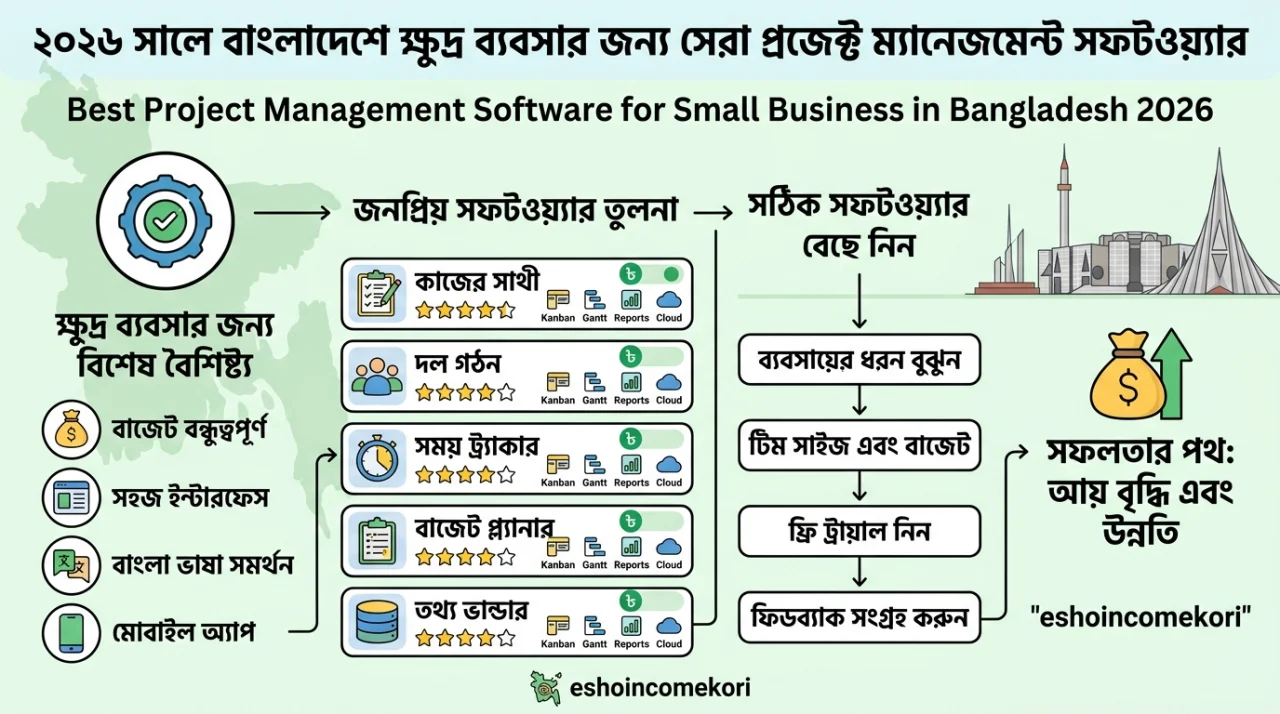
Best Project Management Software for Small Business in Bangladesh 2026
Best Project Management Software for Small Business in Bangladesh 2026 বাংলাদেশের small business-এর জন্য best project management software কোনটি? Trello, Asana, ClickUp, Monday.com ও Notion-এর features ও comparison জানুন।
Introduction
একটি small business-এ একসঙ্গে অনেক project, client, employee এবং deadline manage করতে হয়। শুধু Messenger, WhatsApp, email বা spreadsheet ব্যবহার করে কাজ পরিচালনা করলে গুরুত্বপূর্ণ task miss হওয়ার সম্ভাবনা থাকে।
Project management software এই সমস্যার সমাধান করতে পারে।
একটি ভালো project management tool-এর মাধ্যমে team:
- Task তৈরি
- Deadline set
- Team member assign
- Project progress track
- File share
- Comment
- Notification
- Workflow automation
করতে পারে।
বাংলাদেশের small business-এর জন্য software নির্বাচন করার সময় price-এর পাশাপাশি ease of use, collaboration, automation, integrations এবং scalability দেখা উচিত।
Project Management Software কী?
Project management software হলো এমন একটি digital platform যা project-এর tasks, deadlines, responsibilities এবং progress manage করতে সাহায্য করে।
একটি সাধারণ workflow:
Project → Tasks → Assignees → Deadlines → Progress → Completion
Small Business-এর জন্য কেন দরকার?
ধরুন একটি digital marketing agency-তে 10টি client এবং প্রতিটি client-এর জন্য 5–10টি task রয়েছে।
সব task spreadsheet-এ manage করলে:
- Deadline miss হতে পারে
- Responsibility unclear হতে পারে
- Client updates হারিয়ে যেতে পারে
- Team communication fragmented হতে পারে
Project management software এই information centralized করে।
Best Project Management Software
Small business-এর জন্য জনপ্রিয় কয়েকটি platform:
- Trello
- Asana
- ClickUp
- Monday.com
- Notion
- Microsoft Planner
- Jira
প্রতিটি tool-এর focus আলাদা।
Trello
Trello-এর সবচেয়ে পরিচিত feature হলো Kanban board।
Example:
To Do → In Progress → Review → Completed
প্রতিটি task একটি card হিসেবে রাখা যায়।
Best For
- Small teams
- Content teams
- Freelancers
- Simple workflows
- Marketing projects
সুবিধা
- Simple interface
- Easy setup
- Visual workflow
- Beginner-friendly
Asana
Asana task এবং project management-এর জন্য popular।
Features include:
- Tasks
- Projects
- Timeline
- Calendar
- Assignments
- Team collaboration
- Reporting
যেসব team structured project management চায় তাদের জন্য এটি useful হতে পারে।
ClickUp
ClickUp একটি all-in-one productivity এবং project management platform হিসেবে পরিচিত।
Potential features:
- Tasks
- Docs
- Goals
- Dashboards
- Automations
- Time tracking
- Custom workflows
যারা অনেক functionality এক platform-এ চান তাদের জন্য ClickUp attractive হতে পারে।
Monday.com
Monday.com visual project management এবং workflow management-এর জন্য পরিচিত।
এতে business অনুযায়ী custom boards এবং workflows তৈরি করা যায়।
Useful for:
- Marketing
- Sales
- Operations
- Client projects
- Team management
Notion
Notion documents, databases, notes এবং project management combine করে।
Content team বা small business যারা knowledge base-এর সঙ্গে task management রাখতে চান তাদের জন্য এটি useful হতে পারে।
Microsoft Planner
যেসব organization Microsoft 365 ecosystem ব্যবহার করে তাদের জন্য Microsoft Planner একটি natural option হতে পারে।
Microsoft Teams-এর সঙ্গে integration team collaboration সহজ করতে পারে।
Jira
Jira মূলত software development এবং agile project management-এর জন্য widely used।
Development team-এর জন্য:
- Backlog
- Sprint
- Issue tracking
- Workflow
- Reports
এর মতো features useful।
Project Management Software Comparison
| Software | Best For | Ease of Use | Automation | Best Use Case |
|---|---|---|---|---|
| Trello | Simple Teams | Very High | Medium | Kanban |
| Asana | Project Teams | High | Strong | Task Management |
| ClickUp | All-in-One | Medium/High | Strong | Complex Workflows |
| Monday.com | Business Teams | High | Strong | Operations |
| Notion | Content/Knowledge Teams | High | Medium | Docs + Projects |
| Microsoft Planner | Microsoft Users | High | Medium | Microsoft 365 Teams |
| Jira | Developers | Medium | Strong | Software Development |
Features and pricing can vary by plan.
বাংলাদেশের Small Business-এর জন্য কোনটি ভালো?
Digital Marketing Agency
Marketing agency-এর জন্য:
ClickUp, Asana, Trello বা Monday.com
consider করা যেতে পারে।
প্রয়োজন হতে পারে:
- Client task management
- Content calendar
- SEO tasks
- Campaign tracking
- Team assignments
- Deadline management
Freelancers
Freelancer-এর জন্য simple tool যেমন Trello বা Notion যথেষ্ট হতে পারে।
Software Company
Development team-এর জন্য Jira বা ClickUp useful হতে পারে।
E-commerce Business
Operations, inventory-related workflows এবং marketing campaigns manage করতে Monday.com, ClickUp বা Asana ব্যবহার করা যেতে পারে।
Content Team
Content planning এবং editorial workflow-এর জন্য Notion, Trello বা Asana useful হতে পারে।
Project Management Software-এর Important Features
Task Management
প্রতিটি task-এর:
- Title
- Description
- Assignee
- Deadline
- Priority
- Status
থাকা উচিত।
Calendar
Deadline এবং publishing schedule visualize করা যায়।
Kanban Board
Task status visualভাবে দেখা যায়।
Gantt/Timeline
Complex projects-এর জন্য timeline planning useful।
Team Collaboration
Comments এবং file attachments project communication centralized করতে সাহায্য করে।
Notifications
Deadline বা task update সম্পর্কে team members-কে notify করা যায়।
Automation
Repetitive tasks automate করা যায়।
যেমন:
Task Completed → Automatically Assign Next Task
Free বনাম Paid Project Management Software
Free Plan
Small team-এর basic workflow-এর জন্য যথেষ্ট হতে পারে।
সুবিধা:
- No/low cost
- Basic task management
- Easy testing
Paid Plan
Advanced features যেমন:
- Automation
- Advanced reporting
- More storage
- Permissions
- Custom workflows
প্রয়োজন হলে paid plan নেওয়া যায়।
Project Management Software-এর Cost
Total cost সাধারণত নির্ভর করে:
Number of Users + Features + Plan + Billing Cycle
এর ওপর।
অনেক platform free, per-user বা tier-based pricing offer করে।
Current pricing subscription নেওয়ার আগে official website থেকে verify করা উচিত।
Project Management Tool Setup করার ধাপ
Step 1: Workflow Define করুন
আপনার business-এর actual process লিখুন।
Step 2: Projects Create করুন
প্রতিটি client বা department-এর জন্য project তৈরি করুন।
Step 3: Task Structure করুন
Large project-কে ছোট actionable tasks-এ ভাগ করুন।
Step 4: Assign করুন
প্রতিটি task-এর responsible person নির্ধারণ করুন।
Step 5: Deadline Set করুন
প্রতিটি task-এর realistic deadline দিন।
Step 6: Status তৈরি করুন
যেমন:
To Do → In Progress → Review → Done
Step 7: Automation
Repetitive workflow automate করুন।
Project Management Software-এর সুবিধা
- Better organization
- Clear responsibilities
- Improved collaboration
- Deadline tracking
- Centralized information
- Better productivity
- Easier reporting
- Remote work support
অসুবিধা
Learning Curve
Complex software নতুন users-এর জন্য কঠিন হতে পারে।
Subscription Cost
Team বড় হলে monthly cost বাড়ে।
Too Much Customization
অতিরিক্ত customization workflow complicated করে দিতে পারে।
Team Adoption
Employees tool ব্যবহার না করলে software-এর value কমে যায়।
Common Mistakes
Too Many Tools
একই কাজের জন্য পাঁচটি আলাদা tool ব্যবহার করলে confusion বাড়ে।
Overcomplicated Workflow
Small business-এর জন্য unnecessary complex workflow তৈরি করা উচিত নয়।
No Naming Rules
Project এবং task naming inconsistent হলে information খুঁজে পাওয়া কঠিন হয়।
Deadlines না দেওয়া
Task-এর deadline না থাকলে accountability কমে যেতে পারে।
Regular Review না করা
Weekly project review করলে blocked এবং overdue tasks দ্রুত identify করা যায়।
Project Management Checklist
- Define workflow
- Select software
- Create projects
- Create task templates
- Assign team members
- Set deadlines
- Add priorities
- Create status stages
- Configure notifications
- Add automation
- Create reports
- Train team
- Review workflow regularly
- আরো পড়ুন
- Tapmad: বাংলাদেশের সেরা স্পোর্টস স্ট্রিমিং প্ল্যাটফর্ম – দাম, বৈশিষ্ট্য ও ব্যবহার পদ্ধতি
- bd cricket: বাংলাদেশ ক্রিকেটের ইতিহাস, অর্জন, তারকা খেলোয়াড় ও ভবিষ্যৎ সম্ভাবনা
- ban v aus: বাংলাদেশ বনাম অস্ট্রেলিয়া ক্রিকেট প্রতিদ্বন্দ্বিতার সম্পূর্ণ ইতিহাস ও পরিসংখ্যান
- FIFA এর কাঠামো ও শাসনব্যবস্থা: ফুটবল বিশ্বের প্রশাসনিক পিরামিড – কারা চালায় এই বিশাল সংস্থা? (২০২৫ আপডেট)
- ফ্রিল্যান্সিং কি?
FAQ
Small business-এর জন্য best project management software কোনটি?
Trello, Asana, ClickUp, Monday.com এবং Notion-এর মতো platforms business requirements অনুযায়ী ভালো options হতে পারে।
Free project management software কি আছে?
হ্যাঁ। অনেক project management platform limited free plans প্রদান করে।
Trello কি beginners-এর জন্য ভালো?
হ্যাঁ। Trello-এর Kanban-style interface relatively simple এবং beginner-friendly।
ClickUp কি small business-এর জন্য ভালো?
হ্যাঁ। বিশেষ করে যারা task management-এর পাশাপাশি automation, dashboards এবং multiple workflows চান।
Asana কী কাজে ব্যবহার করা যায়?
Asana project planning, task assignment, deadlines এবং team collaboration-এর জন্য ব্যবহার করা যায়।
Project management software কি productivity বাড়ায়?
সঠিকভাবে implement করা হলে task visibility, accountability এবং team coordination improve করতে পারে।
Freelancer-এর জন্য কোন tool ভালো?
Simple workflow-এর জন্য Trello বা Notion যথেষ্ট হতে পারে। বেশি complex client projects হলে Asana বা ClickUp consider করা যায়।
Software development team-এর জন্য কোন tool ভালো?
Jira software development workflow এবং agile project management-এর জন্য একটি popular choice।
Project management software-এর জন্য কত টাকা লাগে?
Free plans থেকে শুরু করে per-user paid plans পর্যন্ত বিভিন্ন pricing model রয়েছে। Actual cost platform ও plan-এর ওপর নির্ভর করে।
Project management software নির্বাচন করার আগে কী করবেন?
আপনার team size, project complexity, workflow, required integrations এবং budget নির্ধারণ করে তারপর software compare করুন।
Conclusion
বাংলাদেশের small business-এর জন্য Best Project Management Software নির্বাচন করার সময় সবচেয়ে expensive বা feature-heavy tool নেওয়ার প্রয়োজন নেই।
আপনার workflow যদি simple হয়, Trello বা Notion দিয়ে শুরু করা যেতে পারে। Structured project management প্রয়োজন হলে Asana বা Monday.com consider করা যায়। আর complex workflow ও automation দরকার হলে ClickUp ভালো option হতে পারে।
সবচেয়ে গুরুত্বপূর্ণ বিষয় হলো software নয়—একটি clear workflow তৈরি করে পুরো team-কে নিয়মিতভাবে সেটি ব্যবহার করানো।
About the Author