


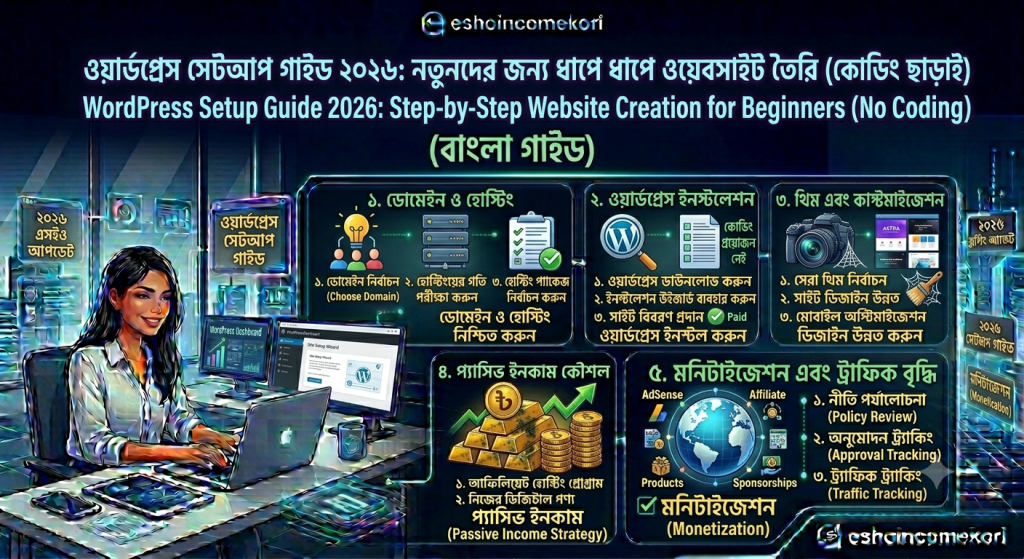
WordPress Setup Guide 2026: Step-by-Step Website Creation for Beginners (No Coding) (Bangla)
২০২৬ সালে WordPress website setup করার সহজ গাইড। domain, hosting, theme, plugin ও SEO setup step-by-step শিখুন।
C. Introduction
Hook
আপনি কি নিজের website তৈরি করতে চান কিন্তু coding জানেন না? তাহলে WordPress আপনার জন্য সবচেয়ে সহজ এবং powerful solution।
Problem
অনেক beginner WordPress setup করতে গিয়ে confuse হয়ে যান—hosting, theme, plugin সবকিছু নিয়ে।
Solution
এই গাইডে আপনি শিখবেন ২০২৬ সালের complete WordPress setup process, যা follow করলে আপনি সহজেই professional website তৈরি করতে পারবেন।
What You Will Learn
- WordPress setup step-by-step
- Domain & hosting connect
- Theme installation
- Essential plugins
- Basic SEO setup
- Website launch checklist
D. Quick Summary Table
| Step | Task | Difficulty |
|---|---|---|
| Hosting setup | Install hosting | Easy |
| WordPress install | One-click setup | Easy |
| Theme setup | Design selection | Easy |
| Plugin install | Feature setup | Medium |
| SEO setup | Optimization | Medium |
E. Table of Contents
- WordPress কী
- Why WordPress best
- Domain & hosting setup
- WordPress installation
- Theme setup
- Essential plugins
- Basic SEO setup
- Website customization
- Common mistakes
- Expert tips
- FAQ
- Conclusion
F. Main Content
1. WordPress কী?
WordPress হলো একটি CMS (Content Management System) যেখানে আপনি সহজে website তৈরি ও manage করতে পারেন।
সহজভাবে:
WordPress = website builder without coding
2. Why WordPress Best
কারণ:
- Easy to use
- SEO friendly
- Thousands of themes
- Plugin support
- Scalable
বিশ্বের 40%+ website WordPress ব্যবহার করে
3. Domain & Hosting Setup
Steps:
- Domain কিনুন
- Hosting purchase করুন
- DNS connect করুন
Example: yourblog.com
4. WordPress Installation
Steps:
- Hosting panel login করুন
- “Install WordPress” click করুন
- Site name দিন
- Admin login set করুন
Done! website ready
5. Theme Setup
Best themes:
- Astra
- GeneratePress
- Kadence
Tip:
Lightweight theme use করুন
6. Essential Plugins
Must-have plugins:
- Rank Math SEO
- WP Super Cache
- Elementor
- Akismet Anti-Spam
7. Basic SEO Setup
Steps:
- SEO plugin configure
- Sitemap submit
- Meta tags set
- Permalink structure fix
G. WordPress Setup Comparison Table
| Method | Ease | Control | SEO Friendly |
|---|---|---|---|
| WordPress | Easy | High | Yes |
| Wix | Very Easy | Low | Medium |
| Custom Coding | Hard | Very High | High |
H. Expert Tips Section
Pro Tips:
- Lightweight theme ব্যবহার করুন
- Regular backup নিন
- Essential plugins only ব্যবহার করুন
- Mobile-friendly design রাখুন
I. Common Mistakes
ভুলগুলো:
- Heavy theme ব্যবহার
- Too many plugins
- No SEO setup
- Weak hosting নির্বাচন
-
আরো পড়ুন
J. Pros and Cons
Pros:
- Easy setup
- SEO friendly
- Highly customizable
Cons:
- Maintenance লাগে
- Plugins dependency
- Learning curve আছে
K. FAQ Section
1. WordPress কী?
Website তৈরি করার platform।
2. Coding লাগে?
No, coding লাগে না।
3. WordPress free?
Software free, hosting paid।
4. Best theme কোনটা?
Astra বা GeneratePress।
5. Plugins কেন দরকার?
Extra features add করার জন্য।
6. SEO setup দরকার?
Yes, very important।
7. Beginner ব্যবহার করতে পারবে?
Yes, খুব সহজ।
8. Website কত সময়ে ready?
1–2 hours।
9. Hosting দরকার?
Yes, required।
10. WordPress safe?
Yes, very secure।
L. Conclusion
WordPress হলো সবচেয়ে beginner-friendly এবং powerful website platform। সঠিক setup করলে আপনি সহজেই একটি professional blog বা business website তৈরি করতে পারবেন।
Final Advice:
- Simple theme ব্যবহার করুন
- Essential plugins রাখুন
- SEO properly setup করুন
- Regular update করুন