


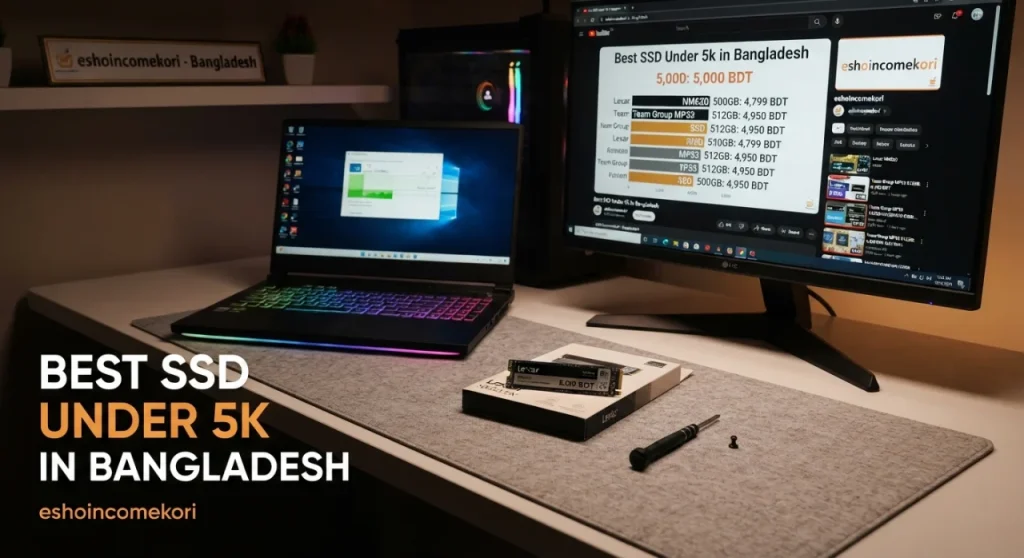
Best SSD Under 5k in Bangladesh
Best SSD Under 5k in Bangladesh 2026: 500GB & 1TB Buying Guide ৳5,000-এর মধ্যে Bangladesh-এ best SSD কোনটি? SATA, NVMe, 500GB, 1TB, speed, durability ও gaming performance সম্পর্কে জানুন।
Introduction
একটি SSD আপনার PC বা laptop-এর performance dramatically improve করতে পারে। Traditional HDD-এর তুলনায় SSD সাধারণত faster boot time, quicker application loading এবং better overall responsiveness দেয়।
৳5,000 budget-এর মধ্যে Bangladesh-এ SATA এবং NVMe SSD-এর বিভিন্ন option পাওয়া যেতে পারে। তবে SSD কেনার সময় শুধু advertised read speed নয়, interface, capacity, NAND type, endurance, warranty এবং motherboard compatibility দেখা গুরুত্বপূর্ণ।
Note: SSD-এর price ও availability model, capacity, seller এবং warranty অনুযায়ী পরিবর্তিত হতে পারে।
৳5,000-এর মধ্যে SSD-তে কী দেখবেন?
| Feature | Recommended |
|---|---|
| Capacity | 500GB+ |
| Interface | NVMe preferred |
| Form Factor | M.2 2280 |
| Read Speed | 2,000MB/s+ for budget NVMe |
| NAND | TLC preferred |
| Warranty | 3–5 years preferred |
| Endurance | Check TBW |
1. Kingston SSD
Kingston storage products-এর জন্য widely known।
Selected SSD models-এ থাকতে পারে:
- SATA বা NVMe interface
- 500GB/1TB capacities
- Good everyday performance
- Long warranty on selected models
Budget PC এবং laptop upgrade-এর জন্য popular choice।
2. WD SSD
Western Digital storage market-এর একটি established brand।
Potential advantages:
- Reliable performance
- NVMe options
- Good software support
- Multiple capacities
Gaming এবং productivity-এর জন্য selected models consider করা যায়।
3. Crucial SSD
Crucial budget এবং mainstream SSD segment-এ পরিচিত।
Advantages:
- SATA/NVMe options
- Good compatibility
- Multiple capacities
- Reliable everyday performance
4. TeamGroup SSD
TeamGroup budget storage products offer করে।
Potential features:
- Competitive pricing
- NVMe models
- Good sequential speeds
- Multiple capacities
Budget-conscious users-এর জন্য useful।
5. Lexar SSD
Lexar-এর budget NVMe SSD options অনেক সময় attractive price-to-performance দিতে পারে।
Selected models-এ:
- High sequential read speed
- NVMe interface
- 500GB/1TB options
- Gaming-oriented specifications
থাকতে পারে।
SATA SSD vs NVMe SSD
SATA SSD
Typical interface:
SATA III
Sequential speeds সাধারণত NVMe-এর তুলনায় কম।
Advantages:
- Affordable
- Wide compatibility
- Easy upgrade
- Good for older PCs
NVMe SSD
Uses:
PCIe
Advantages:
- Much higher bandwidth
- Faster sequential performance
- Compact M.2 form factor
- Excellent for modern systems
নতুন motherboard থাকলে NVMe generally better choice।
500GB vs 1TB
500GB
Suitable for:
- Windows
- Applications
- Several games
- General use
Budget limited হলে excellent starting point।
1TB
Better for:
- Large game libraries
- Video editing
- Multiple applications
- Long-term storage
৳5,000 budget-এর মধ্যে 1TB পাওয়া গেলে এবং quality ভালো হলে value excellent হতে পারে।
NVMe Gen3 vs Gen4
PCIe Gen3
- Mature technology
- Affordable
- Excellent everyday performance
PCIe Gen4
- Higher bandwidth
- Faster sequential speeds
- Better for demanding workloads
Gaming-এর জন্য Gen4 সবসময় dramatic improvement দেয় না। তবে newer system হলে Gen4 future-friendly।
SSD Speed
SSD specifications-এ সাধারণত:
Sequential Read
এবং
Sequential Write
দেখানো হয়।
High sequential speed large files transfer-এর ক্ষেত্রে useful।
তবে everyday PC responsiveness-এর জন্য random performance-ও গুরুত্বপূর্ণ।
Gaming-এর জন্য SSD
SSD gaming-এর ক্ষেত্রে:
- Faster game loading
- Faster level loading
- Quicker updates
- Better system responsiveness
দিতে পারে।
তবে SSD সাধারণত FPS dramatically increase করে না।
GPU এবং CPU gaming FPS-এর প্রধান determinants।
Operating System-এর জন্য SSD
Windows install করার জন্য SSD ব্যবহার করলে:
- Faster boot
- Faster app launching
- Better multitasking
experience পাওয়া যায়।
HDD থেকে SSD upgrade করলে overall PC responsiveness-এর বড় difference দেখা যায়।
TLC vs QLC
TLC
প্রতি cell-এ 3 bits data store করে।
Advantages:
- Good performance
- Better endurance
- Good balance
QLC
প্রতি cell-এ 4 bits data store করে।
Advantages:
- Lower cost
- Higher capacity
তবে heavy sustained workloads-এ TLC অনেক ক্ষেত্রে better choice।
DRAM vs DRAM-less SSD
DRAM SSD
Dedicated DRAM cache থাকে।
Potential benefits:
- Better sustained performance
- Better random performance
- Consistent workloads
DRAM-less
Host Memory Buffer বা অন্যান্য techniques ব্যবহার করতে পারে।
Advantages:
- Lower price
- Good budget performance
Normal gaming এবং office work-এর জন্য modern DRAM-less SSD-ও যথেষ্ট হতে পারে।
SSD Endurance
SSD endurance সাধারণত:
TBW — Terabytes Written
দিয়ে প্রকাশ করা হয়।
Higher TBW মানে manufacturer-এর rated write endurance বেশি।
Heavy workloads থাকলে TBW compare করুন।
SSD Temperature
NVMe SSD high workload-এ heat generate করতে পারে।
Overheating হলে:
Thermal throttling
হতে পারে।
Motherboard-এর M.2 heatsink থাকলে beneficial।
Laptop-এর জন্য SSD
Laptop upgrade করার আগে check করুন:
- M.2 slot
- NVMe support
- SATA M.2 vs NVMe
- Maximum supported capacity
- Physical size
সব M.2 slot NVMe support করে না।
Desktop-এর জন্য SSD
Modern desktop motherboard-এ সাধারণত:
M.2 NVMe slot
থাকতে পারে।
Motherboard manual থেকে supported PCIe generation verify করুন।
Boot Drive vs Storage Drive
Boot Drive
Windows + applications-এর জন্য।
Fast NVMe recommended।
Storage Drive
Games, videos, files-এর জন্য।
Capacity বেশি priority হতে পারে।
৳5,000 Budget Strategy
Basic PC
500GB NVMe
Gaming PC
500GB–1TB NVMe
Large Game Library
1TB preferred
Older PC
SATA SSD
compatibility অনুযায়ী।
Laptop Upgrade
Compatible M.2 NVMe/SATA
নির্বাচন করুন।
Common Mistakes
শুধু Read Speed দেখা
Real-world performance শুধু sequential speed-এর ওপর নির্ভর করে না।
Capacity কম নেওয়া
Modern games অনেক storage ব্যবহার করে।
Compatibility Check না করা
M.2 slot থাকলেই সব NVMe SSD support করবে—এমন নয়।
Unknown Brand কেনা
Warranty এবং reliability সমস্যা হতে পারে।
SSD Full করে ফেলা
Drive প্রায় পুরোপুরি full হলে performance এবং maintenance-এর ওপর impact পড়তে পারে।
DRAM নিয়ে অতিরিক্ত চিন্তা
সব users-এর জন্য DRAM SSD mandatory নয়। Workload অনুযায়ী নির্বাচন করুন।
SSD Buying Checklist
- Correct interface
- NVMe preferred
- 500GB+
- 1TB if budget allows
- TLC preferred
- Read/write speed
- Random performance
- TBW
- Warranty
- Temperature
- M.2 compatibility
- Trusted seller
আরও পড়ুন
Viral AI Tools Everyone Uses 2026: জনপ্রিয় AI Tools এবং কাজের Smart Solution Guide
How AI Builds Income: ২০২৬ সালে AI ব্যবহার করে অনলাইন আয় করার সম্পূর্ণ গাইড
AI Tools for Students Earning: ২০২৬ সালে শিক্ষার্থীরা AI ব্যবহার করে কীভাবে অনলাইন আয় করতে পারে
AI Automation Future Jobs: ২০২৬ সালে AI Automation কোন নতুন চাকরি ও ক্যারিয়ার তৈরি করবে
FAQ
৳5,000-এর মধ্যে ভালো SSD পাওয়া যায়?
হ্যাঁ। Current Bangladesh market অনুযায়ী 500GB এবং কিছু budget 1TB SSD এই range-এর কাছাকাছি পাওয়া যেতে পারে।
NVMe নাকি SATA SSD ভালো?
Compatible modern system হলে NVMe faster এবং generally better choice।
Gaming-এর জন্য 500GB SSD যথেষ্ট?
Starting point হিসেবে যথেষ্ট, তবে modern games বড় হওয়ায় 1TB বেশি convenient।
SSD কি gaming FPS বাড়ায়?
সাধারণত SSD FPS significantly বাড়ায় না। এটি loading time এবং system responsiveness improve করে।
Gen4 SSD কি Gen3-এর চেয়ে ভালো?
Gen4-এর theoretical bandwidth বেশি। তবে everyday gaming-এ difference সবসময় dramatic নয়।
TLC নাকি QLC ভালো?
Performance এবং endurance-এর জন্য TLC generally preferable, especially heavier workloads-এ।
DRAM SSD কি দরকার?
সব users-এর জন্য নয়। Heavy workloads-এ DRAM beneficial হতে পারে, কিন্তু budget systems-এর জন্য quality DRAM-less SSD-ও যথেষ্ট হতে পারে।
Laptop-এ যেকোনো NVMe SSD ব্যবহার করা যায়?
না। Laptop-এর M.2 slot, supported interface, size এবং capacity compatibility check করতে হবে।
SSD কতটা full রাখা উচিত?
Drive একেবারে full না রাখাই ভালো। কিছু free space রাখলে performance এবং maintenance-এর জন্য beneficial।
SSD-এর warranty কেন গুরুত্বপূর্ণ?
Storage device-এ failure হলে data এবং replacement cost গুরুত্বপূর্ণ হতে পারে। তাই reputable brand এবং ভালো warranty consider করুন।
Final Recommendation
৳5,000 budget-এ SSD কেনার সময় priority দিন:
Compatibility
↓
Capacity
↓
NAND Quality
↓
Performance
↓
Endurance
↓
Warranty
New PC: 500GB+ NVMe।
Gaming PC: 1TB হলে better।
Older PC: SATA SSD compatibility অনুযায়ী।
Heavy workload: TLC + higher TBW consider করুন।
সবশেষে, শুধু 5,000MB/s বা 7,000MB/s read speed দেখে SSD কিনবেন না। Capacity, controller, NAND, endurance, warranty এবং আপনার motherboard/laptop compatibility একসঙ্গে compare করুন। ৳5,000 budget-এ একটি quality 500GB বা 1TB SSD আপনার PC-এর overall responsiveness এবং storage experience significantly improve করতে পারে।