


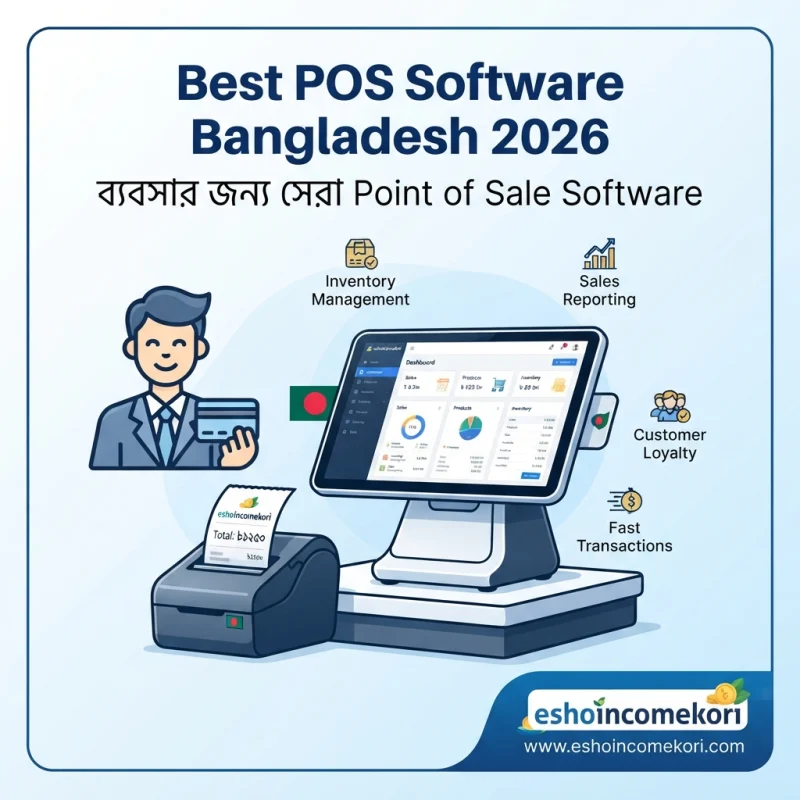
Best POS Software Bangladesh 2026 – ব্যবসার জন্য সেরা Point of Sale Software
Best POS Software Bangladesh 2026 – Features, Price, Benefits & Buying Guide Best POS Software Bangladesh 2026 সম্পর্কে জানুন। Billing, sales, inventory, barcode, payment, customer management ও POS software price নিয়ে বিস্তারিত গাইড।
Introduction
Retail shop বা restaurant পরিচালনার ক্ষেত্রে প্রতিদিন অসংখ্য sales transaction সম্পন্ন হয়। প্রতিটি sale-এর জন্য product নির্বাচন, quantity, price, discount, payment এবং receipt তৈরি করতে হয়। একই সঙ্গে stock কত কমেছে সেটিও track করা প্রয়োজন।
ছোট ব্যবসায় calculator এবং notebook দিয়ে sales manage করা সম্ভব হলেও transaction সংখ্যা বাড়লে manual process ধীর হয়ে যেতে পারে। ভুল billing, stock mismatch, missing sales records এবং daily sales report তৈরি করতে বেশি সময় লাগার মতো সমস্যা দেখা দিতে পারে।
এই সমস্যাগুলো কমাতে POS Software বা Point of Sale Software ব্যবহার করা হয়। POS software sales transaction, billing, inventory, barcode, customer এবং payment information একটি centralized system-এর মাধ্যমে manage করতে সাহায্য করতে পারে।
বাংলাদেশে retail shop, grocery store, fashion store, electronics shop, pharmacy, restaurant, café এবং বিভিন্ন SME-এর জন্য POS software useful হতে পারে।
Best POS Software Bangladesh 2026 নির্বাচন করার সময় শুধু billing speed নয়, inventory integration, barcode scanning, payment methods, customer management, reports, multi-branch support, offline functionality এবং security বিবেচনা করা উচিত।
POS Software কী?
POS-এর পূর্ণরূপ হলো Point of Sale।
POS Software হলো এমন একটি system যার মাধ্যমে customer-এর purchase transaction process করা হয়।
একটি সাধারণ POS transaction:
Product Select → Quantity → Discount → Total → Payment → Receipt → Stock Update
POS Software কেন প্রয়োজন?
Manual billing-এর ক্ষেত্রে:
- Calculation error হতে পারে
- Stock automatically update নাও হতে পারে
- Sales history খুঁজে পাওয়া কঠিন হতে পারে
- Daily report তৈরি করতে সময় লাগতে পারে
- Customer information track করা কঠিন হতে পারে
POS software এসব কাজ আরও organized করতে সাহায্য করতে পারে।
POS Software-এর প্রধান Features
1. Billing Management
POS system দ্রুত customer bill তৈরি করতে পারে।
Bill-এ থাকতে পারে:
- Product
- Quantity
- Unit price
- Discount
- Tax/VAT যেখানে applicable
- Total
- Payment method
2. Barcode Scanning
Barcode scanner ব্যবহার করে product দ্রুত identify করা যায়।
Workflow:
Scan → Product Found → Price → Quantity → Bill
এতে manual product search-এর প্রয়োজন কমতে পারে।
3. Inventory Integration
Sale complete হওয়ার সঙ্গে সঙ্গে inventory quantity update হতে পারে।
উদাহরণ:
Opening Stock 100 – Sales 15 = Remaining Stock 85
Actual stock accuracy transaction entry এবং physical stock-এর ওপর নির্ভর করে।
POS Software Price Bangladesh
বাংলাদেশে POS software-এর fixed price নেই।
Price নির্ভর করতে পারে:
- Number of users
- POS terminals
- Branches
- Inventory
- Barcode
- Customer management
- Reports
- Hardware
- Cloud/offline support
- Customization
এর ওপর।
Pricing model হতে পারে:
Free POS
Basic POS features limitedভাবে free থাকতে পারে।
Monthly Subscription
প্রতি মাসে subscription fee।
Annual Subscription
বার্ষিক plan।
One-Time License
একবার license fee দিয়ে software ব্যবহার করা যেতে পারে।
Custom Enterprise Pricing
Large business-এর জন্য custom quotation হতে পারে।
POS Pricing Comparison
| POS Type | Pricing Model | Suitable For |
|---|---|---|
| Basic POS | Free/Subscription | Small Shops |
| POS + Inventory | Subscription | Retail |
| POS + Accounting | Subscription | SME |
| Restaurant POS | Subscription | Restaurants |
| Multi-Branch POS | Custom/Subscription | Growing Business |
| Enterprise POS | Custom Quote | Large Retailers |
এগুলো general categories; নির্দিষ্ট vendor-এর official pricing নয়।
Retail Shop-এর জন্য POS
Retail store-এর জন্য POS software-এ প্রয়োজন হতে পারে:
- Billing
- Barcode
- Inventory
- Purchase
- Customer management
- Sales reports
- Returns
Grocery Store POS
Grocery business-এ large number of SKUs এবং frequent transactions থাকে।
গুরুত্বপূর্ণ features:
- Fast barcode scanning
- Product search
- Weight-based products
- Stock tracking
- Discount
- Sales reports
Fashion Store POS
Fashion store-এ product-এর size এবং color variation গুরুত্বপূর্ণ।
POS system-এ manage করা যেতে পারে:
- Size
- Color
- SKU
- Barcode
- Stock
- Sales
Electronics Shop POS
Electronics business-এর জন্য serial number এবং warranty tracking useful হতে পারে।
Track করা যেতে পারে:
- Product
- Serial number
- Customer
- Purchase date
- Warranty
যদি software এসব features support করে।
Restaurant POS
Restaurant POS retail POS-এর তুলনায় কিছুটা আলাদা।
প্রয়োজন হতে পারে:
- Table management
- Order management
- Kitchen order
- Menu
- Billing
- Discounts
- Payment
- Sales reports
Workflow:
Customer Order → Kitchen → Order Ready → Bill → Payment
Café POS
Café-এর জন্য:
- Menu management
- Quick billing
- Table/order management
- Inventory
- Daily sales report
useful হতে পারে।
Pharmacy POS
Pharmacy POS-এর ক্ষেত্রে product information-এর পাশাপাশি batch এবং expiry tracking গুরুত্বপূর্ণ হতে পারে।
যেসব software pharmacy-specific features provide করে, সেগুলোতে থাকতে পারে:
- Batch number
- Expiry date
- Stock
- Supplier
- Sales history
Applicable regulatory requirements এবং product-specific rules অবশ্যই business-এর ক্ষেত্রে অনুসরণ করতে হবে।
Barcode Management
Barcode POS system-এর speed বাড়াতে সাহায্য করতে পারে।
Barcode workflow:
Product Barcode → Scanner → Product Information → Cart → Payment
Product Management
POS system-এ product catalogue তৈরি করা যায়।
Information হতে পারে:
- Product name
- SKU
- Barcode
- Category
- Purchase price
- Selling price
- Stock
- Supplier
Discount Management
Customer bill-এ discount apply করা যায়।
Discount হতে পারে:
- Percentage
- Fixed amount
- Product-specific
- Customer-specific
Discount permissions এবং approval rules business policy অনুযায়ী configure করা উচিত।
Multiple Payment Methods
POS system বিভিন্ন payment method support করতে পারে।
যেমন:
- Cash
- Card
- Mobile payment
- Bank transfer
কোন payment gateway বা provider support করবে তা POS vendor-এর integration-এর ওপর নির্ভর করে।
Receipt Printing
POS system thermal printer-এর মাধ্যমে receipt print করতে পারে।
Digital receipt support থাকলে customer-এর email বা messaging channel-এ receipt পাঠানো সম্ভব হতে পারে, যদি integration available থাকে।
Sales Return
Customer product return করলে POS system return transaction record করতে পারে।
Workflow:
Original Sale → Return Request → Product Check → Refund/Exchange → Inventory Update
Return policy business অনুযায়ী নির্ধারণ করা উচিত।
Refund Management
Refund transaction record করলে sales report এবং accounting records আরও accurate রাখা সম্ভব হতে পারে।
Refund method original payment method বা business policy অনুযায়ী হতে পারে।
Customer Management
POS system customer database রাখতে পারে।
Track করা যায়:
- Name
- Phone
- Purchase history
- Loyalty status
- Preferences
Loyalty Program
কিছু POS system loyalty program support করে।
যেমন:
- Points
- Membership
- Discounts
- Rewards
এতে repeat customers-এর engagement বাড়াতে সাহায্য করতে পারে।
Inventory Management
POS-এর সঙ্গে inventory integrated থাকলে sales transaction-এর পরে stock automatically update হতে পারে।
এটি retail business-এর জন্য একটি গুরুত্বপূর্ণ feature।
Low Stock Alert
Stock নির্দিষ্ট level-এর নিচে গেলে system notification দিতে পারে।
উদাহরণ:
Minimum Stock = 5
Quantity 5-এর নিচে গেলে reorder করার reminder পাওয়া যেতে পারে।
Purchase Management
কিছু POS systems supplier এবং purchase management support করে।
Workflow:
Purchase Order → Receiving → Inventory Update → Supplier Payment
Supplier Management
Supplier information এবং purchase history track করা যায়।
যেমন:
- Supplier
- Contact
- Product
- Purchase quantity
- Purchase price
Employee Management
POS system-এ cashier এবং staff accounts তৈরি করা যেতে পারে।
প্রতিটি employee-এর access level আলাদা করা সম্ভব হতে পারে।
User Permissions
POS security-এর জন্য role-based access গুরুত্বপূর্ণ।
উদাহরণ:
Cashier → Sales Only
Manager → Sales + Returns
Admin → Full Access
Shift Management
Retail এবং restaurant business-এ cashier shift tracking useful হতে পারে।
Track করা যেতে পারে:
- Opening cash
- Sales
- Refunds
- Closing cash
- Cash difference
Cash Drawer Management
Cashier shift শুরু এবং শেষে cash reconciliation করা যায়।
একটি simplified process:
Opening Cash + Cash Sales – Cash Refunds = Expected Closing Cash
Actual cash-এর সঙ্গে expected amount মিলিয়ে দেখা উচিত।
Daily Sales Report
POS software daily sales report তৈরি করতে পারে।
Report-এ থাকতে পারে:
- Total sales
- Number of transactions
- Discounts
- Refunds
- Payment methods
- Net sales
Product Sales Report
কোন product কত units বিক্রি হয়েছে তা দেখা যায়।
এতে best-selling এবং slow-moving products identify করা সহজ হতে পারে।
Payment Report
Payment method অনুযায়ী sales analyse করা যায়।
যেমন:
| Payment Method | Sales |
|---|---|
| Cash | হিসাব অনুযায়ী |
| Card | হিসাব অনুযায়ী |
| Mobile Payment | হিসাব অনুযায়ী |
Actual figures business-এর transaction data-এর ওপর নির্ভর করবে।
POS Dashboard
Dashboard-এ দেখা যেতে পারে:
- Today’s sales
- Transactions
- Top products
- Low-stock items
- Refunds
- Payment summary
Multi-Branch POS
একাধিক branch থাকলে centralized POS system useful হতে পারে।
Management branch-wise:
- Sales
- Inventory
- Employees
- Reports
track করতে পারে।
Cloud POS
Cloud-based POS internet-এর মাধ্যমে data synchronize করতে পারে।
সুবিধা:
- Remote access
- Centralized data
- Automatic updates
- Multi-branch visibility
তবে internet dependency এবং vendor-এর backup/security policy যাচাই করা উচিত।
Offline POS
কিছু POS software internet connection না থাকলেও basic sales transaction process করতে পারে এবং পরে data synchronize করতে পারে।
তবে offline features vendor-specific এবং সব systems-এ available নয়।
POS Hardware
POS software-এর সঙ্গে বিভিন্ন hardware ব্যবহার করা যেতে পারে:
- Barcode scanner
- Receipt printer
- Cash drawer
- POS terminal
- Customer display
- Weighing scale
Hardware compatibility আগে যাচাই করা উচিত।
POS Software-এর সুবিধা
Faster Billing
Barcode এবং product search billing দ্রুত করতে পারে।
Better Inventory Accuracy
Sales-এর সঙ্গে stock update connected থাকতে পারে।
Easy Sales Reports
Daily এবং monthly sales reports দ্রুত পাওয়া যায়।
Reduced Manual Calculation
Automatic totals এবং discounts calculation manual arithmetic কমাতে পারে।
Better Customer Tracking
Purchase history এবং loyalty information manage করা যায়।
POS Software-এর সীমাবদ্ধতা
Hardware Cost
Barcode scanner, printer এবং cash drawer-এর জন্য অতিরিক্ত cost হতে পারে।
Training
Cashier এবং staff-কে POS operation শেখাতে হয়।
Internet Dependency
Cloud POS-এর ক্ষেত্রে internet সমস্যা হলে operation প্রভাবিত হতে পারে, যদি offline mode না থাকে।
Data Security
Customer এবং sales data secure রাখা প্রয়োজন।
POS Software কেনার আগে Demo নিন
Demo-তে actual store workflow test করুন:
- Product creation
- Barcode scan
- Customer creation
- Discount
- Billing
- Payment
- Receipt
- Return
- Inventory update
- Daily report
Vendor-কে যে প্রশ্ন করবেন
- Monthly price কত?
- Annual price কত?
- Free plan আছে?
- Number of users কত?
- POS terminal limit আছে?
- Barcode support আছে?
- Receipt printer support করে?
- Cash drawer support করে?
- Inventory included?
- Purchase management আছে?
- Sales return আছে?
- Refund management আছে?
- Customer loyalty আছে?
- Multiple payment methods support করে?
- Offline mode আছে?
- Multi-branch support আছে?
- Accounting integration আছে?
- E-commerce integration আছে?
- Mobile access আছে?
- API available?
- Data export করা যায়?
- Backup policy কী?
- Customer support কীভাবে দেওয়া হয়?
POS Software Selection Checklist
| Feature | প্রয়োজন? |
|---|---|
| Billing | ⬜ |
| Barcode | ⬜ |
| Inventory | ⬜ |
| Product Management | ⬜ |
| Customer Management | ⬜ |
| Discounts | ⬜ |
| Multiple Payment Methods | ⬜ |
| Receipt Printing | ⬜ |
| Sales Return | ⬜ |
| Refund | ⬜ |
| Purchase Management | ⬜ |
| Supplier Management | ⬜ |
| Employee Accounts | ⬜ |
| User Permissions | ⬜ |
| Shift Management | ⬜ |
| Cash Drawer | ⬜ |
| Sales Reports | ⬜ |
| Multi-Branch | ⬜ |
| Offline Mode | ⬜ |
| Accounting Integration | ⬜ |
Common POS Mistakes
শুধু Billing Speed দেখা
Fast billing গুরুত্বপূর্ণ হলেও inventory, reports এবং security equally important।
Hardware Compatibility না দেখা
Software কেনার আগে barcode scanner এবং printer compatible কি না যাচাই করুন।
User Permissions না দেওয়া
Cashier-এর কাছে full administrative access দেওয়া উচিত নয়।
Stock Reconciliation না করা
Software stock এবং physical stock নিয়মিত মিলিয়ে দেখা উচিত।
Returns Properly Record না করা
Return transaction ভুলভাবে record করলে sales এবং inventory report inaccurate হতে পারে।
Backup Ignore করা
Sales এবং customer data-এর regular backup policy থাকা জরুরি।
POS Implementation Plan
Step 1: Store Workflow Analyse করুন
বর্তমানে product sale থেকে payment পর্যন্ত process লিখে ফেলুন।
Step 2: Product Catalogue তৈরি করুন
Product name, SKU, barcode, price এবং opening stock prepare করুন।
Step 3: Hardware Setup
Barcode scanner, receipt printer এবং cash drawer install করুন।
Step 4: POS Configuration
Tax/VAT যেখানে applicable, discounts, payment methods এবং receipt settings configure করুন।
Step 5: User Accounts
Cashier, manager এবং admin accounts তৈরি করুন।
Step 6: Inventory Import
Opening stock এবং warehouse data system-এ enter করুন।
Step 7: Test Transactions
Sample sales, discounts, returns এবং refunds process করুন।
Step 8: Reports Verify
Daily sales এবং inventory reports physical records-এর সঙ্গে compare করুন।
Step 9: Staff Training
Cashier এবং managers-কে practical training দিন।
Step 10: Full Launch
সব testing সম্পন্ন হওয়ার পর regular POS operation শুরু করুন।
আরও পড়ুন
This app is making people rich ২০২৬ সালের ভাইরাল অ্যাপ ট্রেন্ড ও বাস্তব বিশ্লেষণ
How to Earn from Affiliate Marketing: ২০২৬ সালে Affiliate Marketing থেকে Income করার সম্পূর্ণ গাইড
Best AI Tools for Beginners 2026: Complete Guide to Start Using Artificial Intelligence
AI Tools for Productivity: ২০২৬ সালে কাজের গতি ও দক্ষতা বাড়ানোর সেরা AI টুলস
FAQ
POS Software কী?
POS বা Point of Sale Software হলো sales billing, payment, inventory এবং customer transactions manage করার system।
বাংলাদেশে POS software-এর দাম কত?
Features, users, terminals, branches, hardware, inventory এবং customization অনুযায়ী price পরিবর্তিত হয়।
Small retail shop-এর জন্য POS দরকার?
Transaction এবং product সংখ্যা বাড়লে POS billing, inventory এবং sales reporting সহজ করতে পারে।
POS কি barcode support করে?
অনেক POS system barcode scanning support করে।
POS কি inventory manage করতে পারে?
Inventory module থাকলে sales-এর সঙ্গে stock update এবং inventory tracking করা যায়।
POS কি multiple payment methods support করে?
অনেক POS cash, card এবং supported digital payment methods handle করতে পারে।
POS কি receipt print করতে পারে?
Compatible receipt printer থাকলে POS system receipt print করতে পারে।
POS কি sales return manage করতে পারে?
অনেক POS systems original sale reference করে return এবং refund process support করে।
POS কি customer information রাখতে পারে?
Customer management feature থাকলে name, contact এবং purchase history store করা যায়।
POS কি restaurant-এর জন্য ব্যবহার করা যায়?
হ্যাঁ, restaurant-specific POS-এ table, menu, kitchen order এবং billing features থাকতে পারে।
POS কি pharmacy business-এর জন্য ব্যবহার করা যায়?
Pharmacy-specific POS batch, expiry এবং inventory features support করতে পারে, যদি software এগুলো provide করে।
POS কি multiple branches manage করতে পারে?
Advanced POS systems centralizedভাবে multiple branches-এর sales এবং inventory manage করতে পারে।
Cloud POS কী?
Cloud-based POS internet-এর মাধ্যমে data store এবং synchronize করে।
Offline POS কী?
Offline POS internet connection ছাড়াও নির্দিষ্ট basic functions চালাতে পারে এবং পরে data synchronize করতে পারে, যদি software এই feature support করে।
POS data কীভাবে secure রাখা যায়?
Role-based access, strong passwords, authentication, backups এবং secure data handling practices ব্যবহার করা গুরুত্বপূর্ণ।
Best POS Software Bangladesh 2026 কোনটি?
একটি POS সব business-এর জন্য best নয়। Business type, transaction volume, inventory requirements, hardware, branches, payment methods এবং budget অনুযায়ী নির্বাচন করা উচিত।
Conclusion
Best POS Software Bangladesh 2026 নির্বাচন করার সময় শুধু billing system হিসেবে চিন্তা করলে হবে না। একটি ভালো POS business-এর sales, inventory, customer এবং reporting workflow-এর গুরুত্বপূর্ণ অংশ হতে পারে।
একটি comprehensive POS system-এর মাধ্যমে:
Product + Billing + Payment + Inventory + Customer + Returns + Reports
একটি centralized system-এ manage করা সম্ভব হতে পারে।
Small retail shop-এর জন্য basic billing, barcode এবং inventory যথেষ্ট হতে পারে। Grocery store-এর জন্য fast scanning এবং stock alerts গুরুত্বপূর্ণ। Fashion ও electronics business-এর জন্য product variations বা serial number tracking useful হতে পারে। Restaurant-এর জন্য table, menu এবং kitchen order management প্রয়োজন হতে পারে।
POS কেনার আগে demo নিন এবং actual business workflow দিয়ে testing করুন। Software subscription-এর পাশাপাশি barcode scanner, receipt printer, cash drawer, setup, training, customization এবং technical support-এর total cost বিবেচনা করুন।
সঠিক POS software ব্যবহার করলে billing দ্রুত করা, sales records organize করা, inventory visibility বাড়ানো এবং daily business reporting আরও সহজ ও structured করা সম্ভব হতে পারে।