


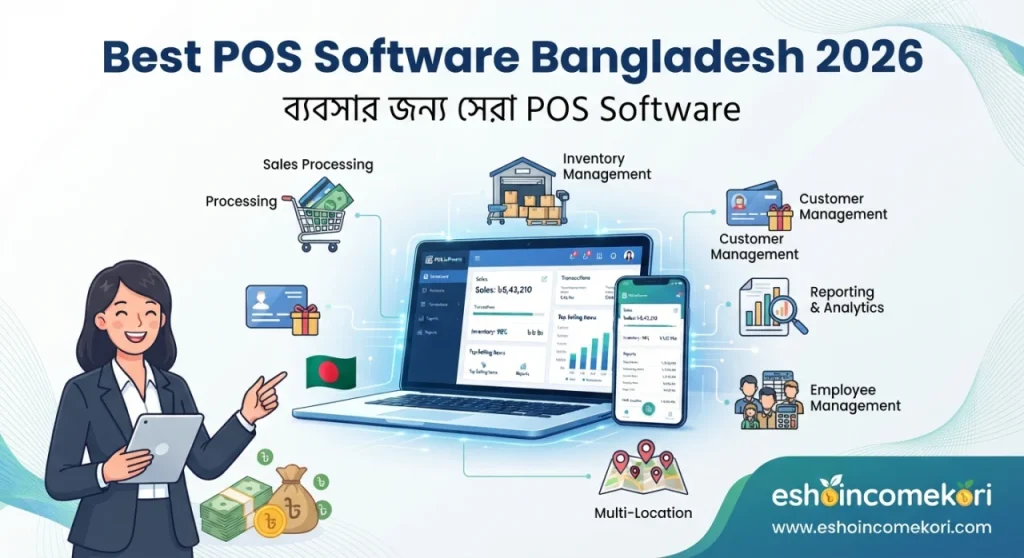
Best POS Software Bangladesh 2026 – ব্যবসার জন্য সেরা POS Software
Best POS Software Bangladesh 2026 – Features, Price, Benefits & Buying Guide Best POS Software Bangladesh 2026 সম্পর্কে জানুন। Sales, billing, inventory, barcode, customer management, reports ও POS software price-এর বিস্তারিত গাইড।
Introduction
একটি retail বা service business-এর প্রতিদিনের সবচেয়ে গুরুত্বপূর্ণ কাজগুলোর মধ্যে sales transaction অন্যতম। Customer-এর order নেওয়া, product scan করা, bill তৈরি করা, payment গ্রহণ করা এবং inventory update করা—এই পুরো process দ্রুত ও সঠিকভাবে পরিচালনা করা business efficiency-এর জন্য গুরুত্বপূর্ণ।
ছোট ব্যবসায় calculator এবং handwritten invoice দিয়ে sales manage করা সম্ভব হলেও transaction সংখ্যা বাড়লে manual billing ধীর হয়ে যেতে পারে। একই সঙ্গে stock update, sales report, customer records এবং daily cash হিসাব maintain করাও কঠিন হয়ে পড়ে।
এই সমস্যাগুলো কমাতে POS Software বা Point of Sale Software ব্যবহার করা হয়। POS software sales transaction, billing, payment, inventory এবং sales reporting একটি centralized system-এর মাধ্যমে manage করতে সাহায্য করতে পারে।
বাংলাদেশে grocery store, fashion shop, electronics store, restaurant, pharmacy, cosmetics shop, supermarket, showroom এবং অন্যান্য retail business-এর জন্য POS software useful হতে পারে।
Best POS Software Bangladesh 2026 নির্বাচন করার সময় শুধু billing feature নয়, barcode scanning, inventory management, multiple payment methods, customer management, returns, discounts, reports, accounting integration, multi-branch support এবং security features বিবেচনা করা উচিত।
POS Software কী?
POS Software হলো এমন একটি digital system যার মাধ্যমে customer-এর purchase transaction process করা হয়।
একটি সাধারণ POS workflow:
Product Selection → Barcode Scan → Cart → Discount → Tax/VAT Where Applicable → Payment → Receipt → Inventory Update
POS Software কেন প্রয়োজন?
Manual sales process-এর ক্ষেত্রে:
- Billing করতে বেশি সময় লাগতে পারে
- Calculation error হতে পারে
- Stock automatically update নাও হতে পারে
- Sales report তৈরি করতে সময় লাগতে পারে
- Returns track করা কঠিন হতে পারে
- Customer purchase history manage করা কঠিন হতে পারে
POS software এসব process আরও structured করতে সাহায্য করতে পারে।
POS Software-এর প্রধান Features
1. Billing
POS system দ্রুত customer bill তৈরি করতে পারে।
Bill-এ থাকতে পারে:
- Product
- Quantity
- Unit price
- Discount
- Applicable tax/VAT
- Total amount
- Payment method
2. Barcode Scanning
Barcode scanner দিয়ে product দ্রুত identify করা যায়।
Workflow:
Scan → Product Identified → Price Added → Stock Updated
3. Product Management
POS system-এ product information রাখা যায়।
যেমন:
- Product name
- SKU
- Barcode
- Category
- Selling price
- Cost price
- Stock quantity
POS Software Price Bangladesh
বাংলাদেশে POS software-এর fixed price নেই।
Price নির্ভর করতে পারে:
- Number of outlets
- Number of POS terminals
- Users
- Products
- Inventory module
- Customer management
- Accounting integration
- Hardware
- Cloud hosting
- Customization
এর ওপর।
Pricing model হতে পারে:
Free POS Software
Basic features limitedভাবে free থাকতে পারে।
Monthly Subscription
মাসিক subscription plan।
Annual Subscription
বার্ষিক subscription।
One-Time License
কিছু POS software one-time license model ব্যবহার করতে পারে।
Hardware Bundle
Software-এর সঙ্গে POS hardware bundle করা হতে পারে।
Enterprise Pricing
Large retail chain-এর জন্য custom pricing হতে পারে।
POS Pricing Comparison
| POS Type | Pricing Model | Suitable For |
|---|---|---|
| Basic POS | Free/Subscription | Small Shop |
| POS + Inventory | Subscription | Retail |
| POS + Accounting | Subscription | SME |
| Restaurant POS | Subscription/Custom | Restaurant |
| Multi-Branch POS | Custom/Subscription | Retail Chain |
এগুলো general categories; নির্দিষ্ট vendor-এর official pricing নয়।
POS Hardware
POS software-এর পাশাপাশি business-এর hardware প্রয়োজন হতে পারে।
Common hardware:
- Computer বা POS terminal
- Barcode scanner
- Receipt printer
- Cash drawer
- Customer display
- Barcode printer
- Touchscreen monitor
Hardware requirements business type অনুযায়ী পরিবর্তিত হয়।
Barcode Scanner
Barcode scanner product identification দ্রুত করতে সাহায্য করে।
এতে manual product search কমে এবং checkout speed improve হতে পারে।
Receipt Printer
Customer-এর জন্য printed receipt তৈরি করতে thermal receipt printer ব্যবহার করা যেতে পারে।
Cash Drawer
Cash payment গ্রহণ করা business-এর জন্য cash drawer useful হতে পারে।
কিছু POS systems cash drawer-এর সঙ্গে integrate করতে পারে।
Touchscreen POS
Restaurant বা retail counter-এর জন্য touchscreen interface checkout process দ্রুত করতে পারে।
Payment Methods
Modern POS systems একাধিক payment method record করতে পারে।
যেমন:
- Cash
- Card
- Mobile payment
- Bank transfer
কোন payment integration available তা vendor এবং payment provider-এর ওপর নির্ভর করে।
Digital Receipt
কিছু POS systems email, SMS বা messaging-based digital receipt support করতে পারে।
এটি paper usage কমাতে সাহায্য করতে পারে।
Inventory Integration
POS-এর সঙ্গে inventory connected থাকলে sale complete হওয়ার সঙ্গে সঙ্গে stock quantity update হতে পারে।
Workflow:
Sale → Inventory Deduction → Updated Stock
Real-Time Stock
Cloud-based বা integrated POS systems real-time বা near-real-time stock visibility দিতে পারে, depending on connectivity and architecture.
Low Stock Alert
Product-এর stock নির্দিষ্ট threshold-এর নিচে গেলে alert দেওয়া যেতে পারে।
উদাহরণ:
Stock < Reorder Level → Low Stock Alert
Purchase Integration
কিছু POS systems purchase এবং supplier management support করে।
Workflow:
Purchase → Stock Receive → Inventory Update → POS Availability
Customer Management
Customer profile তৈরি করে purchase history track করা যেতে পারে।
Track করা যায়:
- Customer name
- Contact information
- Purchase history
- Total purchases
- Loyalty status
Sensitive customer data store করার ক্ষেত্রে appropriate privacy controls রাখা উচিত।
Customer Loyalty Program
Retail businesses loyalty points বা rewards system ব্যবহার করতে পারে।
উদাহরণ:
Purchase → Points Earned → Future Purchase → Reward
Discount Management
POS software বিভিন্ন discount rules manage করতে পারে।
যেমন:
- Percentage discount
- Fixed discount
- Product discount
- Category discount
- Promotional discount
Discount authorization rules business policy অনুযায়ী configure করা উচিত।
Coupon Management
কিছু POS systems promotional coupon codes support করে।
Track করা যেতে পারে:
- Coupon code
- Discount
- Validity
- Usage
Product Return
Customer product return করলে POS system return transaction record করতে পারে।
Workflow:
Original Sale → Return Request → Product Verification → Refund/Adjustment → Inventory Update
Return policy business-এর terms অনুযায়ী নির্ধারণ করা উচিত।
Refund Management
Payment refund হলে POS system refund transaction record করতে পারে।
Refund method original payment method বা business policy অনুযায়ী হতে পারে।
Exchange Management
Retail store-এ product exchange process POS software-এর মাধ্যমে manage করা যেতে পারে।
উদাহরণ:
Old Product Returned → New Product Selected → Price Difference Adjusted
Sales Reports
POS software daily এবং monthly sales reports তৈরি করতে পারে।
যেমন:
- Daily sales
- Monthly sales
- Product sales
- Category sales
- Salesperson sales
- Payment method report
Daily Sales Report
Business owner daily:
- Total sales
- Number of transactions
- Discounts
- Returns
- Payment breakdown
দেখতে পারে।
Product Performance
কোন products বেশি বিক্রি হচ্ছে তা sales data থেকে analyse করা যায়।
Fast-Moving Products
High-demand products identify করা যায়।
Slow-Moving Products
Low-sales products identify করে promotional strategy নেওয়া যেতে পারে।
Cashier Management
প্রতিটি cashier-এর sales activity track করা যেতে পারে।
Track করা যেতে পারে:
- Login
- Sales
- Returns
- Discounts
- Cash transactions
Shift Management
Cashier shift start এবং end record করা যেতে পারে।
Workflow:
Opening Shift → Sales → Cash Management → Closing Shift
Cash Reconciliation
দিন শেষে POS sales এবং actual cash compare করা যায়।
Basic process:
Expected Cash → Actual Cash → Difference → Review
Multi-Branch POS
Multiple stores থাকলে centralized POS system branch-wise sales এবং inventory manage করতে পারে।
Management দেখতে পারে:
- Branch sales
- Branch inventory
- Cashier performance
- Product performance
Centralized Reporting
একটি dashboard থেকে multiple outlets-এর performance দেখা যেতে পারে।
Offline POS
Internet connection unstable হলে offline mode useful হতে পারে।
Offline POS-এর ক্ষেত্রে vendor-এর:
- Offline duration
- Data synchronization
- Conflict handling
- Backup process
জেনে নেওয়া উচিত।
Cloud POS
Cloud POS internet-এর মাধ্যমে centralized data access করতে পারে।
সুবিধা:
- Remote monitoring
- Centralized reports
- Multi-branch visibility
- Automatic updates
তবে internet dependency এবং vendor security practices বিবেচনা করা উচিত।
Restaurant POS
Restaurant-এর জন্য POS software-এর additional features প্রয়োজন হতে পারে।
যেমন:
- Table management
- Kitchen orders
- Menu management
- Modifiers
- Split bills
- Delivery orders
Pharmacy POS
Pharmacy business-এর ক্ষেত্রে:
- Batch tracking
- Expiry tracking
- Product information
- Supplier records
এর মতো features গুরুত্বপূর্ণ হতে পারে।
Applicable regulatory requirements software-এর সঙ্গে মিলিয়ে দেখা উচিত।
Retail POS
Retail POS-এর জন্য সবচেয়ে গুরুত্বপূর্ণ features হতে পারে:
- Barcode
- Inventory
- Billing
- Returns
- Discounts
- Customer management
- Reports
Supermarket POS
Supermarket-এর জন্য high-volume transaction processing এবং barcode scanning অত্যন্ত গুরুত্বপূর্ণ হতে পারে।
Additional features:
- Multiple counters
- Weighing scale integration
- Loyalty program
- Promotions
- Centralized inventory
Electronics Store POS
Electronics store-এর জন্য serial number এবং warranty-related information track করা useful হতে পারে।
Fashion Store POS
Fashion business-এর জন্য product variants গুরুত্বপূর্ণ।
যেমন:
Shirt → Size → Color → SKU → Barcode
Accounting Integration
POS এবং accounting software integrate করা গেলে sales transactions accounting system-এ transfer করা যেতে পারে।
Workflow:
POS Sale → Revenue → Payment → Accounting
Inventory Integration
POS sales-এর সঙ্গে inventory integration থাকলে stock automatically update হতে পারে।
E-commerce Integration
Physical store এবং online store একসঙ্গে পরিচালনা করলে e-commerce integration useful হতে পারে।
Workflow:
Online Sale + Offline Sale → Central Inventory
POS Dashboard
Dashboard-এ দেখা যেতে পারে:
- Today’s sales
- Transactions
- Top products
- Low stock
- Returns
- Payment breakdown
POS Security
POS system-এ security অত্যন্ত গুরুত্বপূর্ণ।
Important controls:
- User accounts
- Role-based permissions
- Strong passwords
- Two-factor authentication where available
- Audit logs
- Data backup
User Roles
Different employees-এর জন্য different permissions দেওয়া যেতে পারে।
উদাহরণ:
Cashier → Sales
Manager → Sales + Returns
Admin → Full Access
Audit Trail
Advanced POS systems user activity এবং transaction changes record করতে পারে।
এতে unauthorized changes identify করা সহজ হতে পারে।
POS Software-এর সুবিধা
Faster Checkout
Barcode scanning এবং automated calculations checkout speed বাড়াতে পারে।
Better Stock Control
Sales-এর সঙ্গে inventory connected থাকলে stock visibility improve হতে পারে।
Accurate Billing
Automatic calculation manual arithmetic error কমাতে সাহায্য করতে পারে।
Better Sales Reports
Business performance দ্রুত analyse করা যায়।
Customer Management
Purchase history এবং loyalty programs manage করা যায়।
Centralized Management
Multiple branches centralizedভাবে monitor করা সম্ভব হতে পারে।
POS Software-এর সীমাবদ্ধতা
Hardware Cost
POS terminal, scanner এবং printer-এর জন্য additional investment প্রয়োজন হতে পারে।
Internet Dependency
Cloud POS-এর জন্য reliable internet গুরুত্বপূর্ণ।
Staff Training
Cashier এবং managers-কে system ব্যবহার শেখাতে হয়।
Setup Complexity
Product catalog এবং pricing data configure করতে সময় লাগে।
Security Risk
Payment এবং customer data থাকায় security controls প্রয়োজন।
POS Software কেনার আগে Demo নিন
Demo-তে actual checkout process test করুন:
- Product search
- Barcode scan
- Cart creation
- Discount
- Payment
- Receipt
- Return
- Refund
- Stock update
- Sales report
Vendor-কে যে প্রশ্ন করবেন
- Monthly price কত?
- Annual price কত?
- Free plan আছে?
- Number of POS terminals-এর limit কত?
- User limit কত?
- Barcode support আছে?
- Barcode scanner integration আছে?
- Receipt printer support আছে?
- Cash drawer integration আছে?
- Inventory management আছে?
- Purchase management আছে?
- Customer management আছে?
- Loyalty program আছে?
- Discount management আছে?
- Coupon support আছে?
- Return/refund আছে?
- Multi-payment support আছে?
- Offline mode আছে?
- Multi-branch support আছে?
- E-commerce integration আছে?
- Accounting integration আছে?
- Restaurant features আছে?
- Pharmacy features আছে?
- Sales reports আছে?
- Mobile app আছে?
- User permissions আছে?
- Audit trail আছে?
- Data export করা যায়?
- Backup policy কী?
- Customer support কীভাবে দেওয়া হয়?
POS Software Selection Checklist
| Feature | প্রয়োজন? |
|---|---|
| Billing | ⬜ |
| Barcode | ⬜ |
| Inventory | ⬜ |
| Purchase Management | ⬜ |
| Sales Reports | ⬜ |
| Customer Management | ⬜ |
| Discounts | ⬜ |
| Coupons | ⬜ |
| Returns | ⬜ |
| Refunds | ⬜ |
| Loyalty Program | ⬜ |
| Cashier Management | ⬜ |
| Cash Reconciliation | ⬜ |
| Multiple Payment Methods | ⬜ |
| Offline Mode | ⬜ |
| Multi-Branch | ⬜ |
| Accounting Integration | ⬜ |
| E-commerce Integration | ⬜ |
| Receipt Printer | ⬜ |
| Cash Drawer | ⬜ |
| Security | ⬜ |
| Audit Trail | ⬜ |
Common POS Software Mistakes
Product Data ভুল রাখা
Product price বা SKU ভুল হলে checkout এবং inventory দুই জায়গাতেই সমস্যা হতে পারে।
Duplicate Barcode
একাধিক product-এ একই barcode ব্যবহার করলে wrong product select হতে পারে।
Stock Reconciliation না করা
POS stock এবং physical stock নিয়মিত compare করা উচিত।
Discount Permission না দেওয়া
Unauthorized discounts business-এর revenue ক্ষতিগ্রস্ত করতে পারে।
Returns Properly Record না করা
Return transaction system-এ update না করলে inventory mismatch হতে পারে।
Cash Reconciliation না করা
দিন শেষে expected এবং actual cash compare করা গুরুত্বপূর্ণ।
User Permissions Ignore করা
সব cashier-কে admin access দেওয়া উচিত নয়।
POS Software Implementation Plan
Step 1: Business Requirements নির্ধারণ করুন
আপনার store-এর products, counters, branches এবং payment methods document করুন।
Step 2: Product Catalog তৈরি করুন
Product name, SKU, barcode, price এবং category standardize করুন।
Step 3: Opening Inventory Verify করুন
Physical stock count করে system-এ opening stock setup করুন।
Step 4: Hardware Setup করুন
POS terminal, barcode scanner, printer এবং cash drawer configure করুন।
Step 5: Payment Methods Setup করুন
Cash, card এবং applicable digital payment options configure করুন।
Step 6: User Roles তৈরি করুন
Cashier, manager এবং admin-এর permissions আলাদা করুন।
Step 7: Test Checkout
Different products এবং payment methods দিয়ে test transactions করুন।
Step 8: Return ও Refund Test করুন
Return এবং refund workflow verify করুন।
Step 9: Reports Verify করুন
Sales, inventory এবং payment reports actual transactions-এর সঙ্গে compare করুন।
Step 10: Staff Training
সব cashiers এবং managers-কে practical training দিন।
আরও পড়ুন
This app is making people rich ২০২৬ সালের ভাইরাল অ্যাপ ট্রেন্ড ও বাস্তব বিশ্লেষণ
How to Earn from Affiliate Marketing: ২০২৬ সালে Affiliate Marketing থেকে Income করার সম্পূর্ণ গাইড
Best AI Tools for Beginners 2026: Complete Guide to Start Using Artificial Intelligence
AI Tools for Productivity: ২০২৬ সালে কাজের গতি ও দক্ষতা বাড়ানোর সেরা AI টুলস
FAQ
POS Software কী?
POS Software হলো এমন একটি system যার মাধ্যমে sales, billing, payment এবং inventory-related transactions manage করা যায়।
বাংলাদেশে POS software-এর দাম কত?
Software features, users, outlets, hardware, inventory এবং integrations অনুযায়ী price পরিবর্তিত হয়।
Small shop-এর জন্য POS software দরকার?
Transaction volume এবং product count বাড়লে faster billing, inventory tracking এবং sales reporting-এর জন্য POS software useful হতে পারে।
POS software কি barcode support করে?
অনেক POS systems barcode scanning এবং barcode-related features support করে।
POS software কি inventory manage করতে পারে?
হ্যাঁ, অনেক modern POS systems sales-এর সঙ্গে inventory management integrate করে।
POS software কি payment গ্রহণ করতে পারে?
POS system payment transaction record করতে পারে; direct payment integration available কিনা তা vendor এবং payment provider-এর ওপর নির্ভর করে।
POS software কি product return manage করতে পারে?
অনেক POS systems original sales reference ব্যবহার করে return এবং refund workflow support করে।
POS software কি customer management করতে পারে?
হ্যাঁ, customer profile এবং purchase history manage করার feature অনেক systems-এ থাকে।
POS software কি loyalty program support করে?
কিছু POS systems loyalty points, rewards এবং customer promotions support করে।
POS software কি multiple branches manage করতে পারে?
Advanced POS systems centralizedভাবে multiple branches-এর sales এবং inventory manage করতে পারে।
POS software কি offline কাজ করতে পারে?
কিছু POS systems offline mode support করে। তবে offline transactions কীভাবে synchronize হবে তা vendor-এর technology-এর ওপর নির্ভর করে।
POS software কি accounting software-এর সঙ্গে integrate করা যায়?
অনেক POS platforms accounting systems-এর সঙ্গে sales এবং payment data integrate করতে পারে।
POS software কি e-commerce website-এর সঙ্গে integrate করা যায়?
Platform-specific integration available থাকলে online এবং offline sales-এর inventory synchronize করা সম্ভব হতে পারে।
Restaurant-এর জন্য আলাদা POS দরকার?
Restaurant-এর table management, kitchen orders, modifiers এবং split billing-এর মতো additional requirements থাকতে পারে। তাই restaurant-specific features প্রয়োজন হতে পারে।
Pharmacy POS-এ কী কী feature দরকার?
Pharmacy-এর জন্য batch, expiry, product এবং supplier tracking গুরুত্বপূর্ণ হতে পারে। Applicable regulatory requirements-ও বিবেচনা করা উচিত।
Best POS Software Bangladesh 2026 কোনটি?
একটি POS software সব business-এর জন্য best নয়। Business type, products, transaction volume, hardware, inventory, payment methods, branches এবং budget অনুযায়ী নির্বাচন করা উচিত।
Conclusion
Best POS Software Bangladesh 2026 নির্বাচন করার সময় শুধু billing speed দেখা যথেষ্ট নয়। Business-এর complete sales এবং inventory workflow বিবেচনা করা প্রয়োজন।
একটি comprehensive POS system-এর মাধ্যমে:
Product + Barcode + Billing + Payment + Inventory + Customer + Reports
একটি centralized platform-এ manage করা সম্ভব হতে পারে।
Small shop-এর জন্য basic billing এবং inventory যথেষ্ট হতে পারে। Growing retail business-এর জন্য barcode, customer management, returns, discounts এবং detailed reports গুরুত্বপূর্ণ। Large retail chain-এর জন্য multi-branch management, centralized inventory, e-commerce integration, accounting integration এবং advanced reporting প্রয়োজন হতে পারে।
POS software কেনার আগে demo নিন এবং actual products, barcode, discounts, payments, returns এবং stock movement দিয়ে testing করুন। Software subscription-এর পাশাপাশি POS hardware, setup, maintenance, training, integrations এবং support-এর total cost বিবেচনা করুন।
সবশেষে, POS software business-এর sales process দ্রুত এবং organized করতে সাহায্য করতে পারে। তবে accurate product data, proper cashier training, regular stock reconciliation এবং strong access control ছাড়া software-এর full benefit পাওয়া কঠিন।
সঠিক POS software ব্যবহার করলে checkout দ্রুত করা, billing errors কমানো, inventory visibility বাড়ানো, sales reports improve করা এবং daily retail operations আরও efficiently manage করা সম্ভব হতে পারে।