


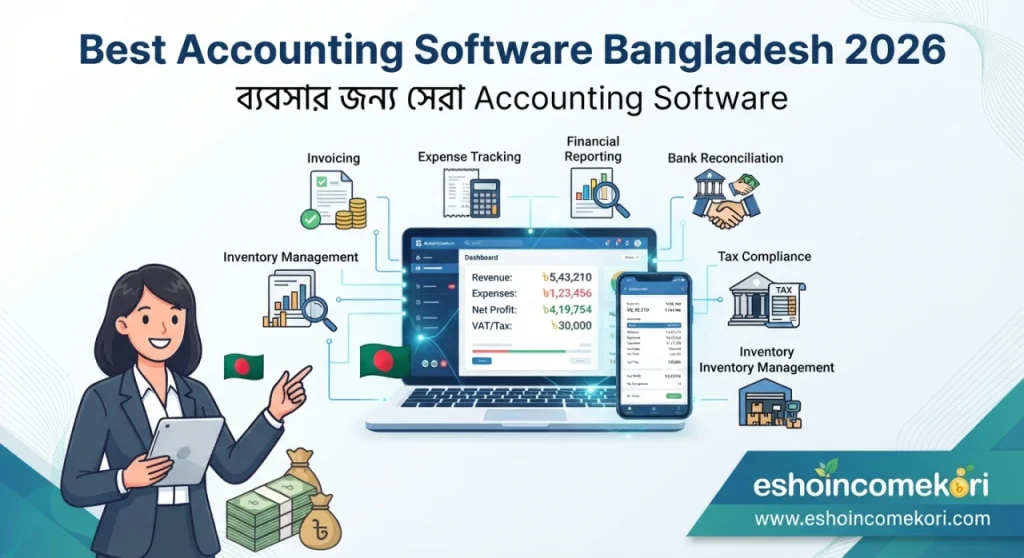
Best Accounting Software Bangladesh 2026 – ব্যবসার জন্য সেরা Accounting Software
Best Accounting Software Bangladesh 2026 – Features, Price, Benefits & Buying Guide Best Accounting Software Bangladesh 2026 সম্পর্কে জানুন। Invoice, expense, income, VAT, tax, payroll, inventory, reports ও accounting software price নিয়ে বিস্তারিত গাইড।
Introduction
একটি ব্যবসার financial management সঠিকভাবে করা না হলে ব্যবসা যত বড়ই হোক, cash flow, profit এবং expenses সম্পর্কে পরিষ্কার ধারণা পাওয়া কঠিন হতে পারে। প্রতিদিনের sales, purchase, expenses, invoices, payments এবং receivables track করা তাই অত্যন্ত গুরুত্বপূর্ণ।
ছোট ব্যবসায় spreadsheet বা manual bookkeeping দিয়ে শুরু করা সম্ভব হলেও transaction বাড়ার সঙ্গে সঙ্গে accounting process জটিল হয়ে যেতে পারে। একই data বারবার input করা, calculation error, missing invoices এবং outdated financial reports ব্যবসার জন্য সমস্যা তৈরি করতে পারে।
এই সমস্যাগুলো কমাতে Accounting Software ব্যবহার করা হয়। Accounting software-এর মাধ্যমে income, expense, invoices, payments, receivables, payables এবং financial reports একটি centralized system-এ manage করা সম্ভব হতে পারে।
বাংলাদেশে small business, retailer, e-commerce company, service provider, freelancer, agency এবং corporate organization—বিভিন্ন ধরনের ব্যবসার জন্য accounting software useful হতে পারে।
Best Accounting Software Bangladesh 2026 নির্বাচন করার সময় শুধু price নয়, invoicing, expense tracking, bank reconciliation, inventory, payroll, reporting, tax/VAT-related functionality, security এবং integration-এর বিষয়গুলোও বিবেচনা করা উচিত।
Accounting Software কী?
Accounting Software হলো এমন একটি digital system যার মাধ্যমে business-এর financial transactions record, organize এবং analyze করা যায়।
সাধারণত এতে থাকতে পারে:
- Income tracking
- Expense tracking
- Invoice
- Accounts receivable
- Accounts payable
- Bank reconciliation
- Financial reports
- Tax-related reports
- Payroll
- Inventory integration
Accounting Software কেন প্রয়োজন?
Manual accounting process-এ:
- Calculation error হতে পারে
- Invoice হারিয়ে যেতে পারে
- Payment tracking কঠিন হতে পারে
- Receivables ভুলে যেতে পারে
- Financial report তৈরি করতে বেশি সময় লাগতে পারে
Accounting software এসব কাজ আরও structuredভাবে manage করতে সাহায্য করতে পারে।
Accounting Software-এর প্রধান Features
1. Income Management
Business-এর বিভিন্ন income record করা যায়।
যেমন:
- Product sales
- Service revenue
- Online sales
- Other business income
2. Expense Management
Business expenses categorize এবং track করা যায়।
যেমন:
- Office rent
- Salary
- Marketing
- Transportation
- Utilities
- Software subscription
3. Invoicing
Customer-এর জন্য professional invoice তৈরি করা যায়।
Invoice-এ থাকতে পারে:
- Business name
- Customer information
- Product/service
- Quantity
- Price
- Discount
- Total
- Payment status
4. Accounts Receivable
Customer-এর কাছ থেকে কত টাকা পাওয়া বাকি তা track করা যায়।
5. Accounts Payable
Supplier বা vendor-কে কত টাকা দেওয়া বাকি তা manage করা যায়।
Accounting Software Price Bangladesh
বাংলাদেশে accounting software-এর fixed price নেই।
Price নির্ভর করতে পারে:
- Users
- Features
- Number of businesses
- Inventory
- Payroll
- Branches
- Integrations
- Cloud/on-premise
- Customization
এর ওপর।
Pricing model হতে পারে:
Free Plan
Basic accounting features limitedভাবে free থাকতে পারে।
Monthly Subscription
প্রতি মাসে subscription fee।
Annual Subscription
বার্ষিক subscription plan।
One-Time License
একবার license fee দিয়ে software ব্যবহার করা যেতে পারে।
Custom Enterprise Pricing
Large organization-এর জন্য custom quotation হতে পারে।
Accounting Software Pricing Comparison
| Solution Type | Pricing Model | Suitable For |
|---|---|---|
| Basic Accounting | Free/Subscription | Freelancer |
| Small Business Accounting | Monthly/Annual | Small Business |
| Accounting + Inventory | Subscription | Retail/SME |
| Accounting + Payroll | Subscription | Growing Business |
| Enterprise Accounting | Custom Quote | Large Organization |
এগুলো general categories; নির্দিষ্ট vendor-এর official pricing নয়।
Freelancer-এর জন্য Accounting Software
Freelancer-এর accounting needs সাধারণত তুলনামূলক simple হতে পারে।
প্রয়োজন হতে পারে:
- Income tracking
- Expense tracking
- Invoice
- Client management
- Payment status
- Basic reports
Small Business-এর জন্য
Small business-এর জন্য:
- Sales
- Expenses
- Invoices
- Receivables
- Payables
- Financial reports
গুরুত্বপূর্ণ হতে পারে।
Retail Business-এর জন্য
Retail business-এর accounting-এর সঙ্গে inventory integration গুরুত্বপূর্ণ।
Workflow:
Purchase → Inventory → Sales → Invoice → Payment → Accounting
E-commerce Business-এর জন্য
E-commerce business-এর ক্ষেত্রে online orders, payment gateways, delivery charges এবং refunds-এর মতো transaction manage করতে হতে পারে।
Accounting software নির্বাচন করার সময় e-commerce integration প্রয়োজন কি না যাচাই করুন।
Service Business-এর জন্য
Service business-এর ক্ষেত্রে:
- Client billing
- Invoice
- Recurring payment
- Expenses
- Project billing
এর মতো features গুরুত্বপূর্ণ হতে পারে।
Chart of Accounts
Accounting software-এর একটি গুরুত্বপূর্ণ component হলো Chart of Accounts।
এতে business-এর accounts categories organize করা হয়।
যেমন:
- Assets
- Liabilities
- Equity
- Revenue
- Expenses
Invoice Management
Invoice তৈরি, send এবং payment status track করা যায়।
Status হতে পারে:
Draft → Sent → Due → Paid
Recurring Invoice
Recurring service business-এর জন্য recurring invoice useful হতে পারে।
যেমন:
- Monthly consultancy
- Software subscription
- Maintenance service
- Retainer service
Expense Tracking
Business expenses category অনুযায়ী track করলে কোথায় বেশি খরচ হচ্ছে তা বোঝা সহজ হতে পারে।
Receipt Management
কিছু accounting software receipt upload বা attach করার সুবিধা দেয়।
এতে transaction-এর supporting document organized রাখা যায়।
Bank Reconciliation
Bank account এবং accounting records-এর transactions match করার process হলো bank reconciliation।
এটি accounting accuracy বজায় রাখতে গুরুত্বপূর্ণ।
Cash Flow Management
Cash flow report business-এর cash inflow এবং outflow সম্পর্কে ধারণা দিতে পারে।
উদাহরণ:
Cash Inflow – Cash Outflow = Net Cash Movement
Profit এবং cash flow একই বিষয় নয়—এই distinction business owners-এর জন্য গুরুত্বপূর্ণ।
Profit & Loss Report
Profit & Loss বা income statement নির্দিষ্ট সময়ের revenue এবং expenses compare করে business-এর financial performance সম্পর্কে ধারণা দেয়।
Basic structure:
Revenue – Expenses = Profit/Loss
Actual accounting treatment business-এর nature এবং applicable accounting standards অনুযায়ী ভিন্ন হতে পারে।
Balance Sheet
Balance sheet business-এর:
- Assets
- Liabilities
- Equity
সম্পর্কে একটি নির্দিষ্ট সময়ের snapshot দেয়।
Cash Flow Statement
Cash flow statement cash movement-এর বিভিন্ন category দেখাতে পারে।
যেমন:
- Operating activities
- Investing activities
- Financing activities
Accounts Receivable Report
কোন customer কত টাকা এবং কতদিন ধরে owed আছে তা track করা যায়।
Aging categories হতে পারে:
- Current
- 30 days
- 60 days
- 90+ days
Accounts Payable Report
Supplier বা vendor-এর outstanding payments track করা যায়।
Inventory Integration
Inventory-enabled accounting system stock movement এবং financial records-এর মধ্যে connection তৈরি করতে পারে।
তবে inventory accounting-এর exact treatment business এবং accounting policy অনুযায়ী নির্ধারণ করা উচিত।
Payroll Integration
কিছু accounting systems payroll module বা payroll integration support করে।
Payroll-related accounting entries financial records-এর সঙ্গে connect করা যেতে পারে।
VAT ও Tax Management
বাংলাদেশে business-এর ক্ষেত্রে applicable VAT এবং income tax requirements গুরুত্বপূর্ণ।
Accounting software নির্বাচন করার সময়:
- Tax reporting
- VAT-related reports
- Invoice requirements
- Tax configuration
support করে কি না যাচাই করা উচিত।
তবে tax/VAT compliance-এর জন্য current government rules এবং qualified tax/accounting professional-এর guidance অনুসরণ করা গুরুত্বপূর্ণ।
Financial Reports
Accounting software বিভিন্ন reports generate করতে পারে।
যেমন:
- Profit & Loss
- Balance Sheet
- Cash Flow
- Trial Balance
- General Ledger
- Accounts Receivable
- Accounts Payable
- Expense Report
General Ledger
General Ledger business-এর accounting transactions-এর detailed record রাখতে সাহায্য করে।
Trial Balance
Trial balance debit এবং credit balances-এর summary দেখাতে পারে এবং accounting records review করতে সাহায্য করে।
Multi-Currency Accounting
International clients বা suppliers থাকলে multi-currency accounting feature useful হতে পারে।
তবে exchange rate handling এবং currency conversion-এর accounting treatment software অনুযায়ী যাচাই করা উচিত।
Multi-Branch Accounting
একাধিক branch থাকলে branch-wise:
- Revenue
- Expenses
- Receivables
- Inventory
- Reports
track করা যেতে পারে।
Cloud Accounting Software
Cloud accounting software internet-এর মাধ্যমে access করা যায়।
সুবিধা:
- Remote access
- Automatic updates
- Centralized data
- Easy collaboration
- Reduced local infrastructure
তবে vendor-এর security, backup এবং data retention policy যাচাই করা প্রয়োজন।
On-Premise Accounting Software
On-premise accounting system company-এর own infrastructure-এ host করা হয়।
সুবিধা:
- Greater control
- Custom deployment
- Internal data policies
তবে server, backup এবং software maintenance-এর দায়িত্ব company-এর ওপর থাকে।
Accounting Software-এর সুবিধা
Faster Bookkeeping
Routine accounting tasks দ্রুত করা সম্ভব হতে পারে।
Better Accuracy
Automated calculations manual errors কমাতে সাহায্য করতে পারে।
Easy Invoicing
Professional invoice দ্রুত তৈরি করা যায়।
Better Financial Visibility
Business-এর financial position সম্পর্কে updated information পাওয়া যেতে পারে।
Improved Record Keeping
Transaction এবং documents organized রাখা যায়।
Accounting Software-এর সীমাবদ্ধতা
Subscription Cost
Cloud software-এর recurring subscription থাকতে পারে।
Training
Employees-কে accounting system ব্যবহারে training দিতে হয়।
Data Entry Errors
ভুল data input করলে software-ও ভুল report তৈরি করতে পারে।
Customization Cost
Complex accounting requirements-এর জন্য অতিরিক্ত customization প্রয়োজন হতে পারে।
Accounting Software কেনার আগে Demo নিন
Demo-তে একটি complete accounting workflow test করুন:
- Customer creation
- Product/service setup
- Invoice
- Payment
- Expense
- Supplier
- Purchase
- Bank reconciliation
- Financial reports
- Data export
Vendor-কে যে প্রশ্ন করবেন
- Monthly price কত?
- Annual price কত?
- Per-user pricing আছে?
- Free plan আছে?
- Invoice limit আছে?
- Expense tracking আছে?
- Bank reconciliation আছে?
- Inventory integration আছে?
- Payroll integration আছে?
- VAT-related reporting আছে?
- Tax-related reporting আছে?
- Multi-branch support আছে?
- Multi-currency support আছে?
- API available?
- Data export করা যায়?
- Backup কীভাবে হয়?
- Security features কী?
- Customer support কীভাবে দেওয়া হয়?
Accounting Software Selection Checklist
| Feature | প্রয়োজন? |
|---|---|
| Income Tracking | ⬜ |
| Expense Tracking | ⬜ |
| Invoicing | ⬜ |
| Accounts Receivable | ⬜ |
| Accounts Payable | ⬜ |
| Bank Reconciliation | ⬜ |
| Profit & Loss | ⬜ |
| Balance Sheet | ⬜ |
| Cash Flow | ⬜ |
| General Ledger | ⬜ |
| Trial Balance | ⬜ |
| Inventory | ⬜ |
| Payroll | ⬜ |
| VAT/Tax Reports | ⬜ |
| Multi-Branch | ⬜ |
| Multi-Currency | ⬜ |
| Data Export | ⬜ |
| Security | ⬜ |
Common Mistakes
শুধু Software Price দেখা
কম দামের software-এ প্রয়োজনীয় accounting reports নাও থাকতে পারে।
Business Requirements নির্ধারণ না করা
আপনার business-এর accounting workflow আগে লিখে নিন।
Tax/VAT Requirements Ignore করা
Local compliance requirements software support করে কি না যাচাই করুন।
Bank Reconciliation না করা
Accounting records এবং bank transactions নিয়মিত reconcile করা উচিত।
Backup Ignore করা
Financial data-এর regular backup থাকা গুরুত্বপূর্ণ।
Demo ছাড়া Purchase
Actual business transactions দিয়ে software test করা ভালো।
Accounting Software Implementation Plan
Step 1: Existing Accounting Process Review
বর্তমানে কীভাবে income, expense, invoice এবং payment record করছেন তা বিশ্লেষণ করুন।
Step 2: Chart of Accounts Setup
Business-এর প্রয়োজন অনুযায়ী account categories configure করুন।
Step 3: Customer & Supplier Data
Existing customer এবং supplier data clean করুন।
Step 4: Opening Balances
প্রয়োজনীয় opening balances সঠিকভাবে setup করুন।
Step 5: Invoice Setup
Invoice template এবং payment terms configure করুন।
Step 6: Bank Accounts
Business bank accounts software-এ setup করুন।
Step 7: Inventory Setup
প্রয়োজন হলে products, warehouses এবং opening stock configure করুন।
Step 8: User Permissions
Accounts team এবং management-এর access levels নির্ধারণ করুন।
Step 9: Test Transactions
Sample sales, purchase, expense এবং payment entries করুন।
Step 10: Financial Reports Verify
Reports accountant বা finance professional দিয়ে cross-check করুন।
আরও পড়ুন
This app is making people rich ২০২৬ সালের ভাইরাল অ্যাপ ট্রেন্ড ও বাস্তব বিশ্লেষণ
How to Earn from Affiliate Marketing: ২০২৬ সালে Affiliate Marketing থেকে Income করার সম্পূর্ণ গাইড
Best AI Tools for Beginners 2026: Complete Guide to Start Using Artificial Intelligence
AI Tools for Productivity: ২০২৬ সালে কাজের গতি ও দক্ষতা বাড়ানোর সেরা AI টুলস
FAQ
Accounting Software কী?
Business-এর income, expense, invoice, payment এবং financial records manage করার digital system।
বাংলাদেশে accounting software-এর দাম কত?
Users, features, inventory, payroll, branches, integrations এবং customization অনুযায়ী price পরিবর্তিত হয়।
Small business-এর জন্য accounting software দরকার?
Transaction সংখ্যা বাড়লে accounting records organize এবং reports তৈরি করতে software useful হতে পারে।
Accounting software কি invoice তৈরি করতে পারে?
হ্যাঁ, অধিকাংশ accounting software invoice creation এবং payment tracking support করে।
Accounting software কি expense track করতে পারে?
হ্যাঁ, business expenses category অনুযায়ী record ও analyze করা যায়।
Accounting software কি inventory manage করতে পারে?
কিছু accounting platforms built-in inventory বা inventory integration support করে।
Accounting software কি payroll manage করতে পারে?
কিছু systems payroll module বা external payroll integration support করে।
Accounting software কি VAT support করে?
কিছু software VAT-related calculations বা reports support করতে পারে। Current applicable requirements অবশ্যই যাচাই করা উচিত।
Accounting software কি tax calculation করতে পারে?
কিছু platforms tax-related calculations বা reports provide করে। Actual compliance-এর জন্য current tax rules follow করা প্রয়োজন।
Cloud accounting software কী?
Internet-based accounting system যা authorized users online access করতে পারেন।
Bank reconciliation কী?
Accounting records-এর transactions-এর সঙ্গে bank statement-এর transactions মিলিয়ে দেখার process।
Profit & Loss report কী?
নির্দিষ্ট সময়ের revenue এবং expenses-এর ভিত্তিতে business-এর profit বা loss সম্পর্কে ধারণা দেওয়া financial report।
Accounting software কি multiple branches manage করতে পারে?
Advanced accounting systems branch-wise transactions এবং reports support করতে পারে।
Accounting software কি multiple currencies support করে?
কিছু platforms multi-currency accounting support করে, যা international business-এর জন্য useful হতে পারে।
Best Accounting Software Bangladesh 2026 কোনটি?
একটি accounting software সব business-এর জন্য best নয়। Business type, transaction volume, accounting requirements, inventory, payroll, reporting, compliance needs এবং budget অনুযায়ী নির্বাচন করা উচিত।
Conclusion
Best Accounting Software Bangladesh 2026 নির্বাচন করার সময় শুধু invoice তৈরি করার সুবিধা দেখলে হবে না। Business-এর পুরো financial workflow বিবেচনা করা উচিত।
একটি ভালো accounting system-এর মাধ্যমে:
Income + Expense + Invoice + Payment + Receivable + Payable + Financial Reports
একটি centralized platform-এ manage করা সম্ভব হতে পারে।
Freelancer-এর জন্য simple income, expense এবং invoicing features যথেষ্ট হতে পারে। Small business-এর জন্য receivables, payables এবং financial reports গুরুত্বপূর্ণ। Retail বা e-commerce business-এর জন্য inventory integration প্রয়োজন হতে পারে। Large organization-এর জন্য multi-branch, multi-currency, payroll, advanced reporting এবং integrations গুরুত্বপূর্ণ হতে পারে।
Software কেনার আগে demo নিন এবং actual business transactions দিয়ে testing করুন। Subscription cost-এর পাশাপাশি setup, migration, customization, integrations, training এবং support-এর total cost বিবেচনা করুন।
সঠিক accounting software ব্যবহার করলে bookkeeping আরও organized করা, financial reporting দ্রুত করা, invoice ও payment tracking সহজ করা এবং business-এর financial visibility উন্নত করা সম্ভব হতে পারে।